Search results muddle this one. "Spambot" is also the word for the anti-spam bots that guard groups, so a search for a telegram spam bot check, a telegram spam block check or a telegram spam block checker lands half on moderation tools and half on what the searcher meant: the official bot that tells an account whether Telegram has limited it. The same thing is asked for as a telegram spambot status, a telegram spam restriction checker or a telegram restricted account checker, and every one of those names ends in the same chat, with the same bot, answering one question about one account.
That chat is the only source. Everything sold around it is a way of opening it more times.
How do you run a telegram account restricted check by hand?
Open the bot and press Start.
A telegram account restricted check takes under a minute per account. Type the bot's name into the search bar of any Telegram app; it is a public username, so typing an exact username into search puts it at the top, carrying the verification mark that look-alike bots lack. Telegram's own spam FAQ links the same bot, which is the safer way in. Press Start, or send /start, and the reply arrives within a second or two. It describes the account you are signed in as and nothing else, which is also the whole answer to telegram check spam block as a search: there is no second place to look.
Everything after follows from it. An app holds only so many logins, and how many accounts one app will hold is a small number, so ten accounts mean ten profile switches and ten replies to read. Past a few dozen, nobody does this by hand on the morning of a run. They find out during the run instead.
What each @SpamBot reply means for the account
The bot gives one of a handful of answers, and each says something different about what the account can do next.
| The reply says | Still works | Next step | |
|---|---|---|---|
| No limits | Nothing is applied | Everything it could do before | Use it; check again after a run |
| Limited, with a date | A limit that ends at a stated time | Saved-contact chats and replies | Rest it until the date has passed |
| Limited, no date | A limit with no release time | Saved-contact chats and replies | Plan without it; appeal a mistake |
| New number, nothing sent | The number itself drew the limit | Saved-contact chats and replies | Tell the bot your case |
As of October 2026 the clean reply in English opens with the words "Good news, no limits are currently applied", and that phrase is what most open-source checkers match on. The limited replies run longer and, when the limit is temporary, carry the day it ends. The scripts we have read pull that date out with patterns expecting a day, a month, a year and a UTC time, so read it as UTC and not as your own clock.
A limit leaves little, and the spam FAQ states it precisely: a limited account can message people who have its number saved as a contact, and can always reply to anyone who writes first. So an account under a telegram account spam restriction still works as somebody's personal account and fails at outreach. It is the state where the order restrictions arrive in during a bulk DM run ends up, and opening a chat from a bare phone number stops working for the same reason, since the recipient never saved the sender. Posting is the other half. One message pushed into a list of groups draws reports from admins as well as members, and the FAQ says group spam leads to the same limit. What Telegram treats as spam in the first place, from spam groups to link drops, is covered in what counts as spam and what spammer tools really do. Creating chats goes too: the channels.createChannel reference lists USER_RESTRICTED for an account that is "spamreported".
How long? Telegram publishes no table. A first limit lasts "a few days or so", repeated offences bring longer ones, and an account that keeps writing to strangers may lose that ability for good. The same page answers a request for early release in one word: impossible. A site quoting a fixed 24 hours, three days or seven days is reporting what happened to somebody once.
A spam limit is not a flood wait, a freeze or a ban
Four different things stop an account, and @SpamBot speaks to one of them.
A flood wait is the mildest. Telegram's error reference defines FLOOD_WAIT_X as a required wait of X seconds; it belongs to the method just called, ends by itself, and the bot is silent about it. The flood wait, bot 429 and PEER_FLOOD errors are read side by side in a separate piece. A spam limit is the state the bot reports. Client libraries surface it mid-run as PEER_FLOOD, an error Telegram's public list does not carry. A frozen account is a third state: the general FAQ says it can still read its chats but cannot send or post, with the appeal made inside the app, and the client configuration reference carries a freeze_until_date after which a frozen account is deleted unless an appeal goes in. A ban is the last. The session stops authorising and there is no chat left to open with any bot, which is the argument for exporting the chats worth keeping while an account still opens.
None of the four moves with the network. The proxy fields a session connects through change its route, not the record Telegram keeps on the account.
Can a telegram spambot checker bot check someone else's account?
No.
@SpamBot answers about whoever is writing to it and has no field for a username or a number. A telegram spambot checker bot that asks you to paste somebody's handle is therefore not relaying your question to Telegram: a bot runs on a bot token, and anything it asked would be asked as itself. A third-party telegram spambot checker can only sign in as your accounts and ask on their behalf. It is then a user client, with the api_id and api_hash a session signs in under and the session files that go with them, and it means any telegram spambot checker tool you load accounts into holds those accounts. A tdata folder copied out of Telegram Desktop is a login, not a setting. Upload it to a web checker and the account has gone with the question.
The other weakness is language. Going by the checkers' own source code, the bot replies in the language the account's app is set to, and a pool registered on numbers from several countries does not share one. Telegram spambot checker software that searches the reply for English words will file a Russian or Chinese "no limits" under unknown or, worse, under limited. The open-source checkers we read each patch this differently: one adds Russian keywords, one translates a few Chinese terms first, and one ignores the wording altogether and decides by whether the reply contains a year. Before paying for any bulk spambot check tool telegram sellers put in front of you, ask which of those it does.
A telegram spambot bulk check across a whole pool
Fifty accounts are fifty conversations. The work is in holding them without touching fifty profiles.
Our SpamBot Check module runs a telegram spambot bulk check the plain way. You select accounts in the session manager, each one opens its own chat with @SpamBot through the proxy assigned to it, and the reply is recorded against that account, so the Status column stops reading Not checked. The session manager keeps separate folders for Active, Temp block, Permanent block and Banned accounts, and this run is what tells a dated limit from an undated one.
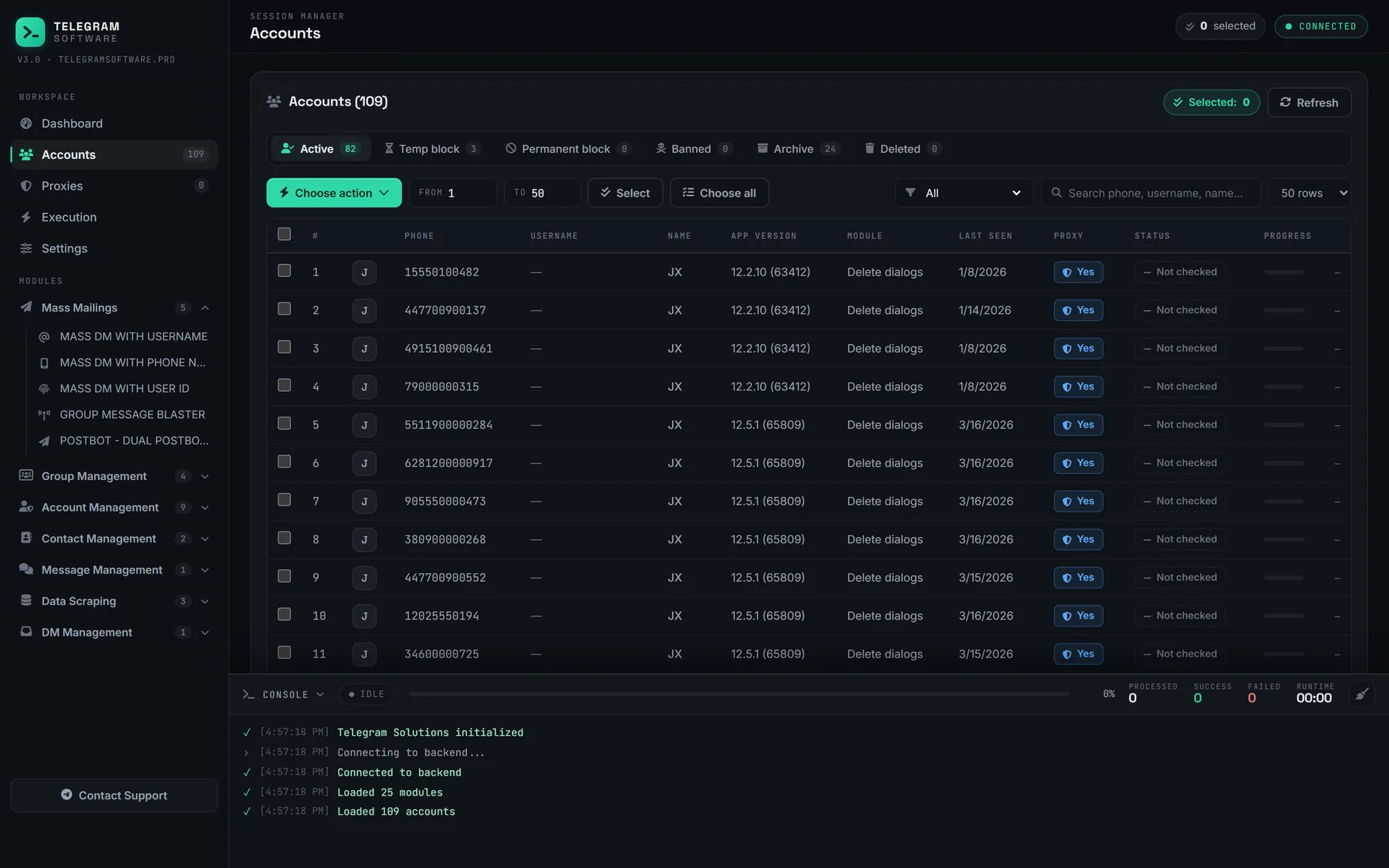
When it runs matters more than how. A telegram check accounts for spam block pass belongs before a campaign, so limited sessions leave the pool before a run starts instead of after it fails, and again afterwards, because a campaign is exactly when reports arrive. The same pass closes a warmup run on newly added accounts, where the bot's reply says more than the number of days waited. Check Accounts answers a different question, whether a session still authorises at all, which is the test a session checker runs on a stored login, and the two together separate dead from limited from clean.
Its limits are short to state. The module reads a status. It does not lift a limit, file an appeal or make a limited account send, and it does not supply accounts or proxies. A clean reply describes this morning, not the next message: the reports behind a limit come from recipients, and Telegram's Terms of Service rule out using the service to send spam whatever the bot last said.
What to do with accounts that come back limited
Take them out of the run. Do not retry.
A limited account that keeps attempting outreach produces failed requests and nothing else, and Telegram is plain that repeat offences lengthen the limit. Rest it until the stated date and check again before it goes back in. While it rests it can still do housekeeping that involves no strangers, such as leaving the groups a finished campaign joined or, where a channel hangs off it, moving that channel to a healthier owner account while the security checks can still be passed.
Then look at why it was reported, because the bot never says. In our experience the cause sits upstream of the sending. A campaign built on a scraped member list writes to people who did not ask to hear from you; messaging them is direct marketing, which needs a lawful basis under GDPR, CAN-SPAM and their equivalents, and each of them holds a report button. The same goes for adverts dropped into public groups found through search. Unsending does not undo it either: deleting a message for both sides clears the chat, while a report already filed has gone to the moderators.
Keep the record by account. A results sheet keyed on each account's numeric user ID, with the reply, the release date and the campaign it last ran in, shows within a few weeks which lists and which messages cost accounts. A telegram spambot check is for exactly this: not a green tick, but a pattern.