The request arrives in a dozen wordings: how to leave all groups in telegram, how to leave telegram group in bulk, how to leave telegram channels in bulk, how to leave multiple telegram channels at once, how to leave all telegram channels at once, or plainly leave all telegram channels. Each one takes for granted a button that Telegram has never shipped, in any of its apps.
Is there a way to leave all Telegram groups at once?
Not with one button. With one selection, yes.
No Telegram app has a leave-all command for groups or channels. The phone apps have multi-select in the chat list instead, which reached Android in Telegram's May 2019 redesign as a long tap that selects several chats, while iPhone gets there through its Edit button. Delete a selection and every group or channel in it is left, not merely hidden. That is the whole method behind how to leave all telegram groups at once:
- Open the chat list, or a folder that shows only groups or only channels, set up as the next section describes.
- Press and hold one chat on Android, or tap Edit above the list on iPhone.
- Tap every group and channel you want to leave. Leave private chats unticked, since those are deleted instead, and anything you own, which a bulk delete on iPhone can remove for everyone.
- Tap the delete icon and confirm, and each group and channel in the selection is left in that one step.
Telegram Desktop cannot do this. Its chat list selects one chat at a time, and the request to change that has sat open in the app's public issue tracker since November 2017. A computer leaves chat by chat, with one exception: when an account hits the join ceiling, every app, Desktop included, lists its least active communities and offers to leave a batch of them at once, the only bulk leave Telegram ships. So the honest version of leave all telegram channels at once is a phone, a folder and a lot of ticking, not a single command.
Some guides suggest deleting the account instead. Deletion leaves every chat in one go and takes the account, its contacts and its history with it, while Telegram's FAQ says groups and channels you created are orphaned, their admins keeping their rights. It is an exit, not a cleanup.
How to leave all groups in Telegram with a folder doing the sorting
A folder leaves nothing by itself. It narrows the list so the selection catches only what you mean. Under Settings, Chat Folders lets you build a folder from chat types rather than single chats, so one holding only Groups, or only Channels, turns the list into exactly the rows you want gone, and the private chats never come near the delete icon.
The one folder that does leave chats is a shared one. A folder added from somebody's invite link can be removed later, and Telegram's tour of chat folders says whoever removes it can also leave all its chats in one tap; the method underneath, chatlists.leaveChatlist, takes the folder and the chats to quit together. The same page caps free accounts at 2 shareable folders of up to 100 chats each, and Premium at 20 of up to 200. It undoes a bundle somebody else built. It will not empty an account you filled yourself.
How to leave a Telegram group or channel one at a time
Open it, find its menu, choose leave. On Android the three-dot menu inside the chat carries Leave Group or Leave Channel. The iPhone puts the same labels at the foot of the info page you reach by tapping the chat's name, and on Desktop they sit in the menu that opens when you right-click the chat in the list, where a basic group shows Delete and leave instead. Between them, those cover how to leave telegram group and how to leave telegram channel on every platform, one chat per confirmation.
Two kinds of group hide behind one word. A basic group, the small private kind, is left by removing your own account from it with messages.deleteChatUser, while a supergroup or channel is left with channels.leaveChannel. One chat at the top of the list may not be a membership at all: the sponsored channel an MTProto proxy pins comes with the connection, so it goes when that proxy does.
What happens when you leave a group on Telegram?
You drop off the member list, the chat drops off yours, and everything you posted stays exactly where it was.
Leaving a supergroup deletes nothing you wrote, because channels.leaveChannel has no history option at all. Your messages, photos and files remain for everyone still inside, so if you want them gone, start with deleting your own messages before you go. A basic group is murkier. Its leave call carries an optional flag to remove your history, the Android app sets it, and Telegram documents no result for a member removing themselves. That is also what telegram leave group without deleting tends to mean in practice: in a supergroup, the group keeps your history whether you like it or not.
The other reading of that search is keeping the chat for yourself, and there the answer splits. A public group stays readable without joining, since Telegram's FAQ says anybody can read a public group's history, and finding a public group again by its name is one search away, unless it has changed its handle since and you are holding an old @name that no longer resolves. A private group takes its history with your membership. Keeping a copy of the group before you leave means an export from Telegram Desktop, done while you are still inside, and getting back in later needs a working invite link or a join request an admin has to approve.
Can you leave a Telegram group without anyone knowing?
Not from a small group, and never from its admins.
When you leave a group on Telegram, will it show? In a basic group, yes: a service line saying you left appears in the chat for everyone still in it. Supergroups are quieter by design — Telegram's 2015 announcement says they are muted by default and send fewer joined and left notifications, but no Telegram page says when a supergroup skips the line, so the thresholds quoted around the web, 50 members on one page and 200 on another, are guesses. A channel posts nothing. Subscribers only ever see the count move.
Admins see more. Recent Actions, the log Telegram keeps for 48 hours and shows to admins only, records a departure as its own event, and the API's description of that event notes that in big groups the member's details are not shown. So the realistic answer to how to leave telegram group without anyone knowing runs by size: in a large supergroup, probably nobody except an admin who checks the log in time; in a small group, everybody.
No app has a quiet-leave switch, which leaves one answer to how to leave telegram group without notification: stay. Archive the chat and mute it, and you remain a member without it ever surfacing, because the same 2019 update made muted chats stay archived for good while unmuted ones pop back out on a new message.
Nor is leaving the same as blocking. People who shared the group with you keep the access hash every member already holds, so they can still write to you where your settings allow, just like a private chat that needs no saved number. Whether they can pull you back in is decided on the privacy screen that also hides your number, where the Invites setting, Groups & Channels on iPhone, controls who may add you, and an admin re-adding people who already left runs into that setting first.
| After you leave | Basic group | Supergroup | Channel |
|---|---|---|---|
| What members see | A line saying you left | Fewer joined and left notices | No line |
| What admins see | The same line | Recent Actions, 48 hours | Recent Actions, 48 hours |
| Your old posts | Not documented | Stay | Comments stay in the discussion group |
| Reading it later | No, never public | Only if public | Only if public |
| If you own it | An admin takes over at once | An admin takes over after 7 days | An admin takes over after 7 days |
A group you own passes to an admin when you leave
It no longer strands the group. Since Telegram's 9 February 2026 update, an owner who leaves passes ownership on instead of leaving the chat without one. Before the leave goes through, the app asks the server who would inherit it and shows that name, and Telegram's channel documentation lists three choices at that point: appoint another admin, cancel, or leave the group. A basic group changes owner at once. A supergroup or channel waits seven days, during which a pending-owner notice sits in the chat and the departing owner gets a message from Telegram's service account with a link back in. Only if the week passes without a return does ownership move.
So how to leave telegram group if you are owner has two sensible orders. Hand it over first to a member you choose, through a transfer with its own security check that Telegram allows at any time without leaving, or leave and let the week run. Delete the group instead when it should end rather than continue. Guides written before 2026 that promise an ownerless group, or an instant promotion, describe rules that no longer apply.
Hundreds of chats across a pool of accounts
Everything above works on one account in one app. It does nothing for every other account in the same app, each of which joined its own chats and has to leave them itself.
At volume, the reason to leave is capacity as much as tidiness. Telegram caps how many channels and supergroups one account may sit in, and sends the cap to the client as channels_limit_default, with a higher value for Premium; Telegram's configuration reference gives 500 and 1,000 as defaults, the live value comes from the server, and basic groups do not count. Past it, a join returns CHANNELS_TOO_MUCH, which is the join ceiling a blast list runs into, and leaving is the only way back under it without paying for Premium.
A script does this by listing every dialog and leaving the groups and channels among them. Telethon's delete_dialog calls channels.leaveChannel for supergroups and channels, and removes the account from a basic group before clearing it, all on the api_id pair behind each session. Telegram publishes no rate for leaving. It does publish FLOOD_WAIT_X, a required wait of X seconds that any method can return, and a script that ignores it stops halfway down the list; the fixed gaps free cleaners advertise are their own choice, not a Telegram number. The API terms add that accounts signing in through unofficial clients are automatically put under observation, and a script is exactly that.
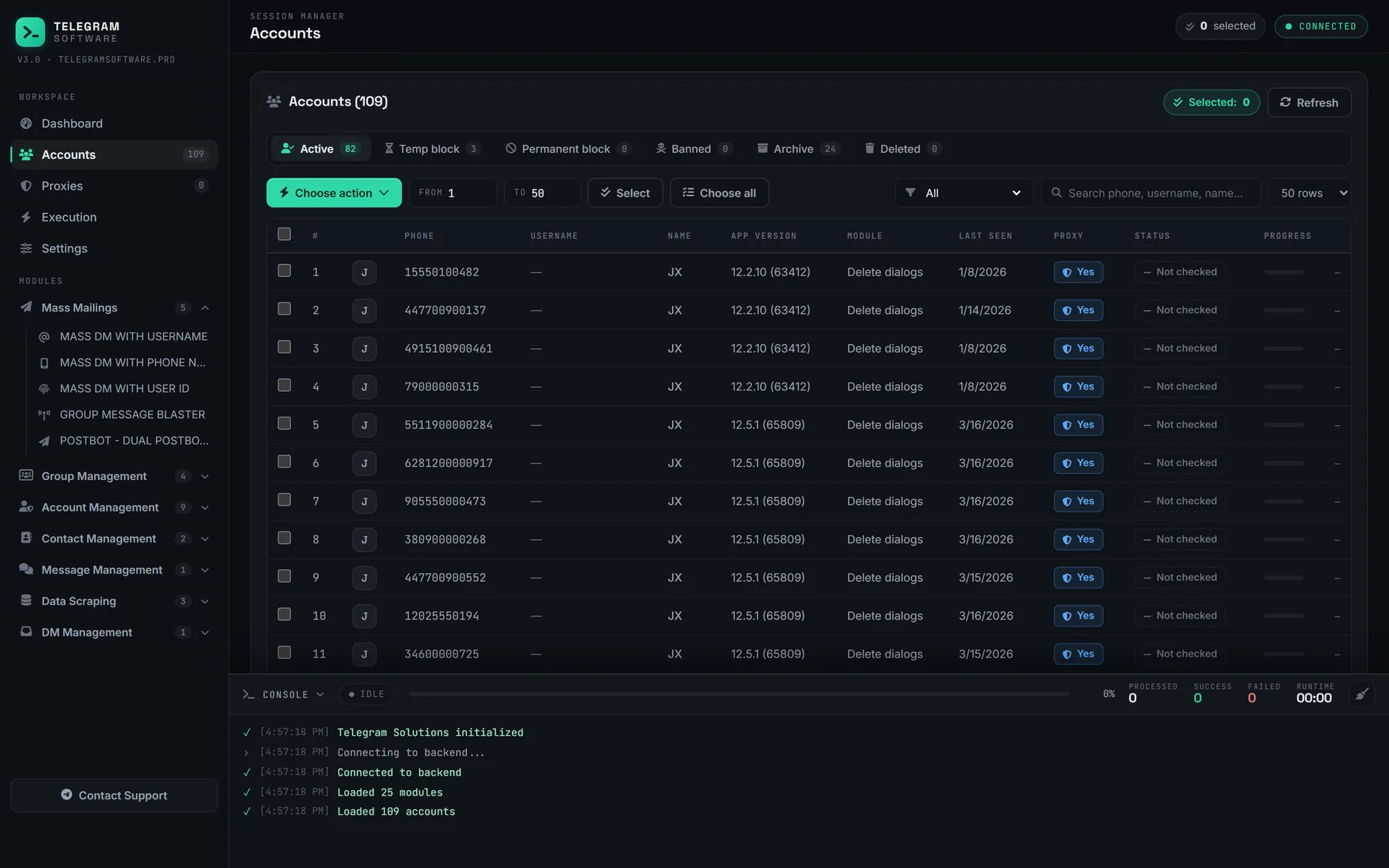
Our Leave Groups / Channels module is the pool version of the same job. It takes the chats you want gone and the sessions you pick, and works through them under the shared pacing engine, so a flood wait holds that one session while the others carry on. It is the counterpart to Join Groups / Channels: one fills an account for a campaign, the other empties it afterwards — and the chat list empties while the address book does not, so the contacts those groups left behind need a pass of their own.
What a bulk leave cannot change
It cannot make a leave invisible. Where a group posts a line for departures, the line still posts, and admins still find the entry in Recent Actions. It does not raise the join ceiling, supply the accounts or proxies it runs on, or skip the week Telegram gives a departing owner. None of this touches Telegram's Terms of Service; those rules are about spam and abuse, and walking out of a chat is neither.