Type the phrase into a search box and you get username tools, phone-number lookups and age-guessing bots before anything that looks at an account you hold. The same job is also searched as telegram account checker software, a telegram account check tool, a telegram accounts checker tool or a telegram multi account checker, and the results are no clearer for it. So the first task is sorting the tools.
Five different tools answer to telegram account checker
They share a name and almost nothing else.
We went through the pages and listings that turn up for this phrase in October 2026 and grouped them by what goes in and what comes out. Two groups concern accounts you own. Three concern somebody else's.
| What you give it | What comes back | Whose account | |
|---|---|---|---|
| Username checker | A list of @names | Taken or free | Nobody's yet |
| Phone number checker | A list of numbers | Registered or not | Other people's |
| Account-age bot | A user ID | An estimated sign-up date | Anyone's |
| Spam-limit check | A logged-in account | The reply @SpamBot gives it | Yours |
| Session checker | A session file or tdata folder | Whether the login works, and what it holds | Yours |
The first three work from outside. A username check is a lookup anyone can make. A number lookup asks Telegram whether a phone number resolves to a user, and the answer depends on the owner's privacy setting, the same setting that decides whether a number you never saved can be messaged, so a miss is not proof that the number has no account. An age bot does arithmetic on the numeric user ID and prints an estimate.
The last two rows are the subject here. Both need the account's own login, which is why they can say something real about it, and why who runs the check matters more than what it costs.
A telegram account checker bot sees a chat, not an account
A bot cannot look inside the account that is talking to it.
Whether it is sold as a telegram bot account checker, an account checker telegram bot or a telegram account check bot, the thing runs on a bot token, and the User object in the Bot API is short: a numeric ID, a bot flag, a first name, and optionally a last name, a username, a language code and a Premium flag. Nothing in it says limited or banned. An account able to press Start is, by that fact alone, alive, and a telegram account status check bot can establish nothing further without being told more. The reach of a bot stops at the chats that let it in, and your account's settings, contacts and chat list are not among them.
So a bot that reports real status is getting the login from you. Some ask for the code Telegram just sent to your app, others for an uploaded session. From then on the bot is a front for a user client on somebody else's server, the same split that settles which program is really behind a bulk direct message, and that server holds a working login to your account. The code message itself says not to give the code to anyone, even someone who says they are from Telegram.
A telegram account checker bot free of charge deserves the most caution of all. Sessions need servers and proxies to run on, and it is fair to ask who is covering that bill, and why.
Is there a telegram account checker free of charge?
Yes, for a handful of accounts, and Telegram supplies most of it.
The spam-limit check is official and costs nothing: open @SpamBot from the account in question and it answers for that account. We cover how to read each of the bot's answers separately. The session check for a single account is free too, because Settings > Devices in any official app lists every active login with its device and location.
For a stored session file, a telegram account alive checker is a dozen lines on an open client library: connect with the saved key, ask for the account's own profile, print the answer or the error. The library is free, and it needs your own API credentials, which Telegram issues once per phone number, and somebody willing to maintain the script.
Web pages offering a telegram account check online fall into the two halves of the table above. If the page takes a number or a username, it is a lookup about somebody else and tells you nothing about limits. If it takes a session upload it is a hosted checker, and the file you uploaded is the account.
Free stops at scale. A paid checker does not sell the check, which is the same request either way. It sells running that request over a few hundred sessions, each on its own proxy, with the results in one table.
Which states can a telegram session checker tell apart?
Alive or dead is two answers. The server gives more.
A telegram session checker connects with the stored authorisation key and makes one small request. Either the account answers with its own record, or Telegram returns an error whose name says what happened. The names come from Telegram's published list of API errors, not from the tool, so two honest checkers should agree.
| What the server returns | What it means | |
|---|---|---|
| Alive | The account's own user record | The login works. It says nothing about limits |
| Login ended | AUTH_KEY_UNREGISTERED or SESSION_REVOKED | This session was terminated. The account may be fine |
| Deleted | USER_DEACTIVATED | The account was deleted or deactivated |
| Banned | USER_DEACTIVATED_BAN in client libraries | Read as a ban. A new sign-in gets PHONE_NUMBER_BANNED |
| Frozen | FROZEN_METHOD_INVALID | Read-only mode |
| Spam-limited | Nothing unusual | Only the @SpamBot reply shows it |
Not every name in that table has the same standing. The frozen state is documented: Telegram's authorisation guide says accounts "can be frozen for serious violations" of the Terms, sit in read-only mode, and are deleted after a time unless an appeal is accepted. The ban name is not. Libraries report USER_DEACTIVATED_BAN, and the public error list stops at USER_DEACTIVATED, so treat the split between deleted and banned as the library's reading.
Two rows cause most misreadings. "Login ended" is a fact about a file and not about an account: somebody pressed Terminate on the device list, or all other sessions were closed at once, and the same number can sign in again tomorrow. One cause is self-inflicted. Run a single session from two tools in parallel and the server answers AUTH_KEY_DUPLICATED, after which that key is dead and the account needs a new login. And alive is not clean. A telegram account ban checker that tests only the login will pass an account that cannot write to a single stranger, because a spam limit leaves the session running.
A telegram account status checker also cannot tell you why. The error carries a name and no reason. A ban follows reports that a moderator read against a rule, and none of that correspondence is in the reply your client receives.
Format matters to the check in one practical way. A session arrives either as a session file with its JSON or as desktop data, and since a tdata folder copied off another PC is a complete login, a checker has to load whichever it is given and connect through the proxy host, port and secret that session expects.
History is what a signed-in session can read about its own account
Status is today. History is everything before it.
An account that reached you from somewhere else, whether a colleague's old work number, a pool a previous operator ran or a SIM the carrier has reissued, arrives with a past you did not write. Telegram's spam FAQ makes the point about numbers: somebody who has just signed up can find the account limited because of what the number's previous owner did with it. Reading the history is how you learn what you are holding before a job depends on it.
From inside, a client can list what the account currently carries. The dialog list shows every group, channel and private chat it sits in. A login that belongs to several hundred groups got there by searching for public groups and joining what came up or from somebody's join list, and walking it out of every group in one run is the usual cleanup. The contact list is readable as well, and an address book imported for an old campaign is a reason for emptying the saved contacts in bulk. Old private chats can be removed by wiping a conversation on both ends, once you have finished saving the chat as a file through the desktop export if it is a record you need.
Ownership is history too. The method that lists an account's public channels and groups shows what it would take with it if it were banned, and moving a channel's owner seat to a safer account has waiting periods of its own. The authorisations list gives every device signed in, with the app name, the date each login was created and when it was last active. Three unfamiliar devices on an inherited account mean it is shared. Seeing them is not the same as removing them: the method that ends another session refuses a login younger than 24 hours, so a session imported this morning can read the device list and has to wait a day to act on it.
What no checker can read
An exact registration date, for a start. Telegram does show a registration month and year, but to the recipient when a stranger writes first, on the contact info page the official apps added in March 2025. Nothing hands an account its own date, and nothing anywhere gives a day, so a tool that prints one is estimating. Nor can a checker recover what is already gone: chats the account left, messages it deleted, and limits that expired last month leave nothing behind for a client to list.
A telegram bulk account checker is the same reads in a loop
Nothing new happens at scale except bookkeeping.
People who search telegram check accounts in bulk are usually holding more logins than the few accounts one Telegram app keeps side by side. A telegram bulk account checker opens each session in turn on that session's own proxy, makes the requests a one-account check makes, and writes the answers into a table. Hurry the reads and any method can come back as FLOOD_WAIT_X, a required wait of X seconds, and a tool that sleeps through the wait is behaving correctly.
One documented fact applies to every such tool, ours included. Telegram's API ID page says accounts that log in through unofficial API clients are "automatically put under observation". A checker is such a client, and nobody should sell a check as invisible.
Script, hosted service or local software
The three shapes make identical requests under identical limits, and differ in who holds the sessions. A script keeps them with you and costs your time. A hosted telegram multi account checker takes the files onto its servers, where a third party holds every login for as long as the service runs. Local software keeps them on your PC and charges a licence for the labour.
Timing is the other choice. Run the check before a job and not after one fails: a posting run across a list of groups that starts on sessions terminated overnight stops halfway with nothing to show which accounts were at fault. And keep the two kinds of checking apart. Auditing accounts you own is reading your own data, while bulk-testing other people's numbers builds a list of personal data, and Telegram's Terms of Service forbid using the service to send spam to whoever is on it.
Where the checks sit in the suite, and what they will not tell you
In Telegram Solutions the work is split the way this article splits it. Check Accounts validates each session and reports status, limits and restrictions. SpamBot Check asks the official bot from each account in turn. Account History Check goes through the accounts you select and reports what each one already carries, so a login arrives at a job with a known past. All three run on the shared session pool, through the proxy assigned to each session, and write to one log. Sessions stay on the PC.
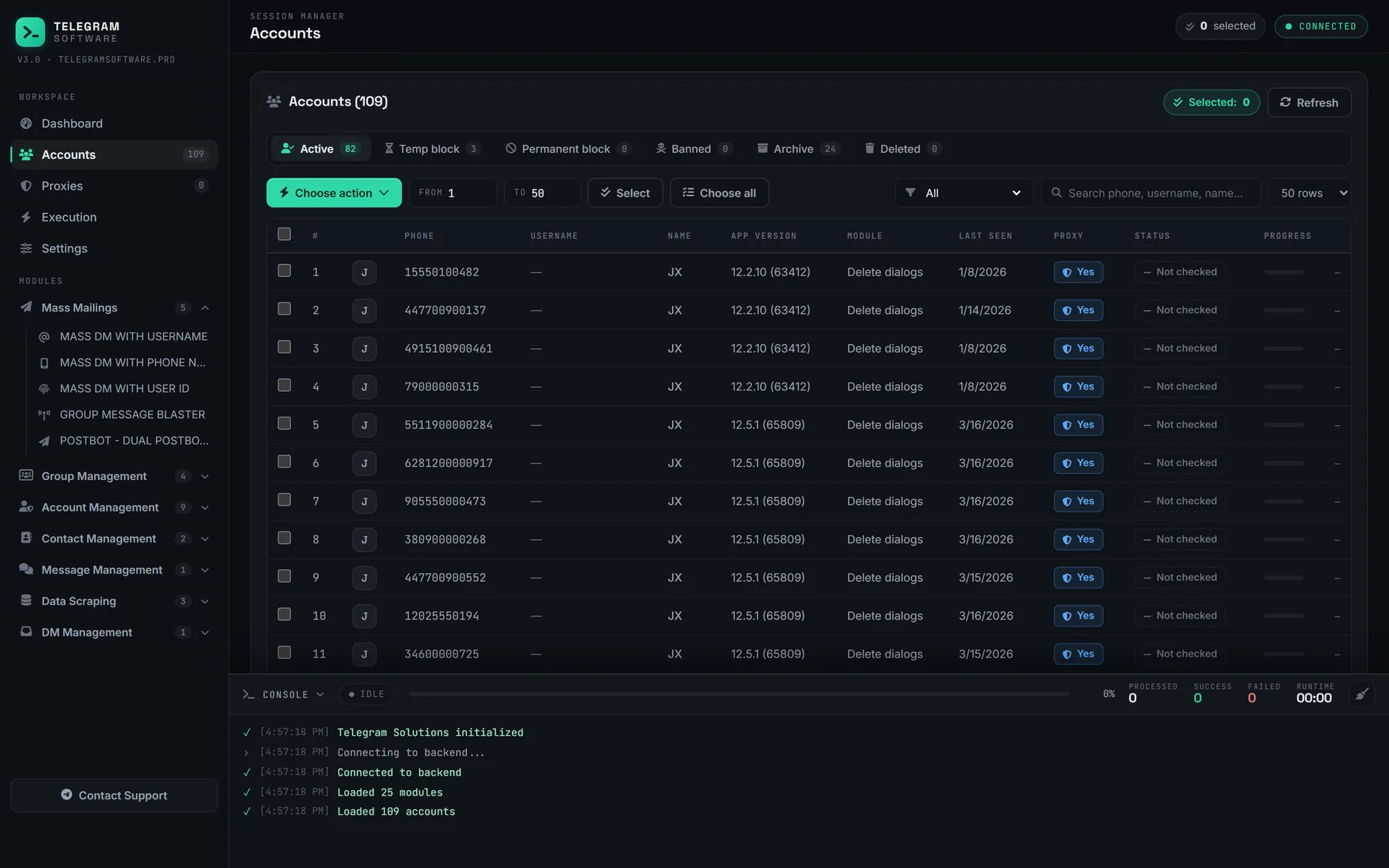
Now the limits. None of these modules looks into an account you are not signed in to; the suite's Phone Number Checker is a separate tool that answers registered or not and nothing more. They cannot produce a registration date, explain a ban or lift a limit, because those live on Telegram's servers and no client has a say in them. A check does not make an account healthier. It tells you which accounts to leave out. We do not supply the accounts or the proxies either.