Can a Telegram bot send mass DMs to people who never messaged it?
No. Telegram's bot documentation settles it in two sentences: bots can't start conversations with users, and a user has to add the bot to a group or message it first. A bot token cannot reach a list of usernames it has never met; it can only broadcast to the users who already started it. That is the shape of the surface, not a rate limit you can pace around.
The confusion is fair: Telegram runs two APIs and named only one after bots. The Bot API is an HTTPS wrapper over the encryption layer. The other is the client API, spoken over MTProto, the protocol the official apps use. Bots live on the first. Anything sending a telegram bulk message to a stranger lives on the second, holding a real account session.
The same job gets sold under a dozen names — a telegram mass dm bot, a telegram bulk message sender bot, a plain telegram bulk message sender, mass dm telegram, or a telegram mass dm service — and the pitch never changes: paste a list, paste a message, walk away. Underneath, the ones that send anything are user clients driving accounts somebody owns, and the word bot does the hiding. Bot, browser extension, desktop app or free script: each kind of sender reaches a different set of people, and only some of them can reach a stranger at all.
What actually sends a telegram bulk message at scale
A logged-in account, or several hundred of them.
The target list format is not a cosmetic choice, which is the part that surprises people. Telegram identifies a peer by an ID and an access hash, and the peer documentation is blunt about the consequence: with only a user ID and no access hash, you cannot interact with that peer at all. A username behaves differently, because it can be resolved through the API into a full peer, which is why username lists work from a cold start and raw ID lists often do not. Phone numbers sit between the two — they resolve once the number is in that account's contacts, which is why importing contacts is a real step rather than a formality, and even then only if the owner's privacy setting allows the match. That is the reason the mass messaging modules in the catalogue are split three ways instead of one. Mass DM by username, by phone number and by user ID are three resolution paths wearing one name.
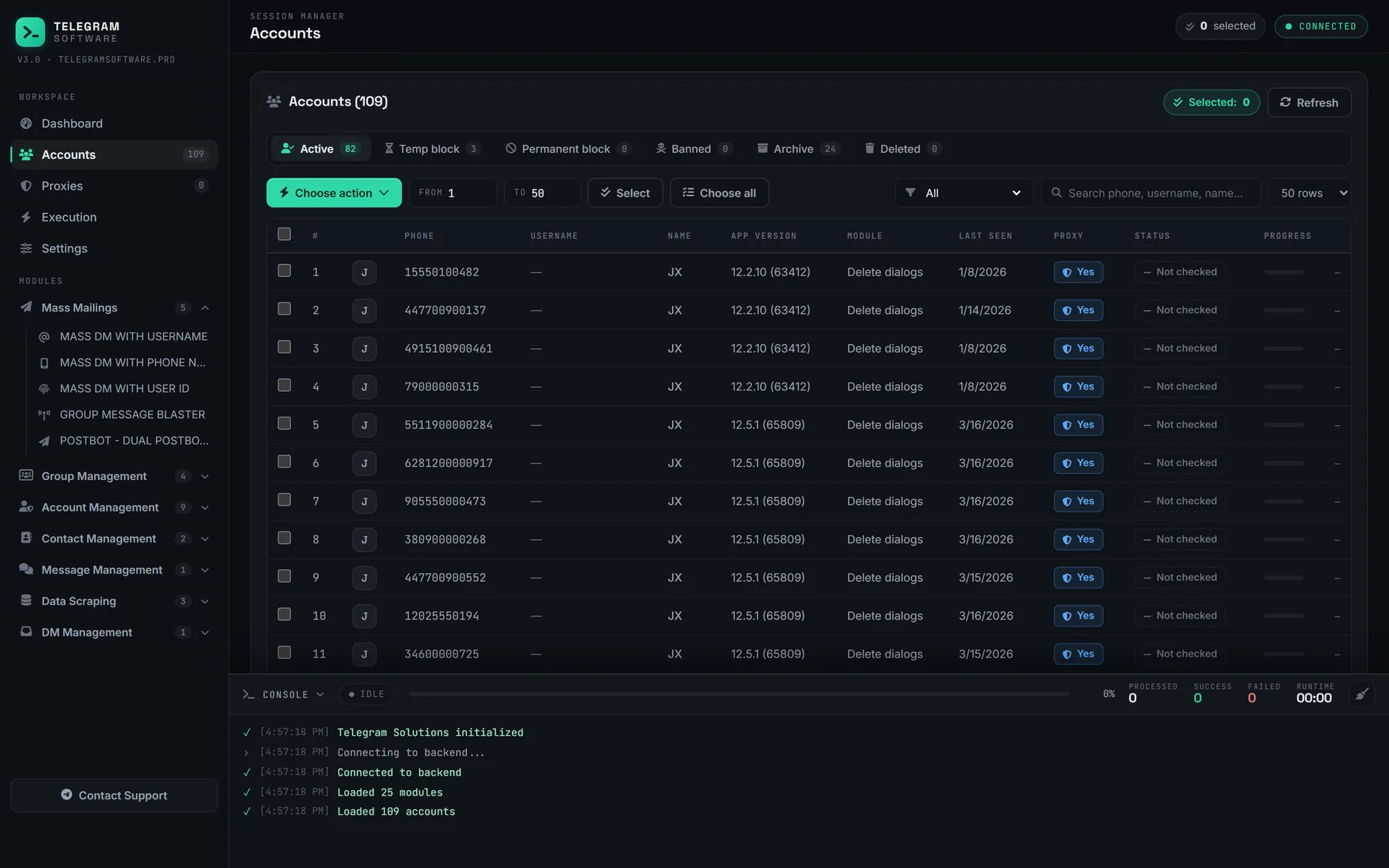
The other half is the pool. Sessions load in Session + JSON or TDATA form, each gets its own proxy, and one pacing engine drives all of them, so a hundred accounts behave like one predictable system rather than a hundred scripts competing for the same address. The ordering is visible in the video: the session manager loads and the accounts are checked before anything is allowed to send. Between runs, that pool is also where an activity simulator keeps accounts in ordinary use, which is upkeep and not protection.
Which of the two formats you hold matters less than people expect and more than most vendors admit. Session + JSON is a portable credential object. TDATA is Telegram Desktop's own profile directory, so it carries the client's local state — device record, layer, cached peers — alongside the authorisation itself. Both authenticate the same account, and both are equally capable of collecting a restriction. Our converter moves between them offline on your own machine, because handing a live account to somebody else's web converter is a decision you cannot take back.
Every field in a mass DM run, and the cost of a careless value
The configuration screen in the video is the whole surface, as of the build we shipped in July 2026. There is no second tuning layer hidden behind it, which is deliberate: the limits are yours to set per run rather than buried in a config file somewhere. One row behaves unlike the rest, because repost mode sends an existing post instead of fresh text, and why a forward stops at the chats it belongs to turns out to be a reach question rather than a pacing one.
| Field | What it holds | The cost of a careless value |
|---|---|---|
| Target usernames | One handle or t.me link per line | Unresolvable handles spend a call and return nothing |
| Message content | The text every selected account sends | Identical text at speed is what recipients report |
| Min delay / Max delay | Seconds between messages, randomised | Equal values make a metronome out of the pool |
| Enable repost mode | Forwards an existing post instead of text | A forward carries its source, visibly |
| Enable link preview | Whether the client expands links | On is louder and adds a fetch per message |
| Pin message | Pins the sent message in the chat | Pinning a cold DM invites the report button |
| Accounts selected | Which sessions carry the run | Fewer accounts than targets and the rest are skipped |
The last row is worth watching in the log rather than the interface. Before a run starts, the console works out capacity from the sessions you selected and the per-account cap, and says so plainly — Target count (52) exceeds capacity (27). Some targets will be skipped. It skips them instead of pushing the remainder through the same sessions. We would rather the run tell you it is too small for the list than quietly turn twenty-seven accounts into a reason to contact @SpamBot later.
How many DMs a day is safe?
Telegram does not publish a number, and everybody quoting one is quoting themselves.
A figure of roughly fifty a day per account appears almost word for word across the pages selling this category, never with a source attached. It is not in any Telegram document we can find. The spam FAQ describes the consequence instead of the threshold: send unwanted messages to random strangers and you lose the ability to do so, with the account limited temporarily, most likely for a few days or so. That is the entire published specificity.
The one place Telegram does print rate figures is the Bot API FAQ: about thirty messages a second for bulk notifications, roughly one a second into a single chat, twenty a minute inside a group. Set that beside the first section and the shape appears — the only surface Telegram publishes numbers for is the surface that cannot message a stranger. So every per-day figure for user accounts is an observation, ours included. We set delay ranges per run and watch what comes back, because publishing a daily ceiling would turn an observation into a promise.
The order the restrictions arrive in
They arrive as a sequence, and knowing the sequence is most of the skill. Almost nobody writing about this treats it as one.
The first rung is not about your account at all. SLOWMODE_WAIT means slow mode is switched on in that particular chat, which is a group's own setting. Next comes FLOOD_WAIT_X, documented on Telegram's error page, where X is a number of seconds and the client's obligation is simply to wait them out. Flood waits are ordinary and they are not a ban. A first one is usually short, they lengthen if you keep pushing into them, and our pacing engine backs off rather than burning the session.
Then the character changes. PEER_FLOOD is the rung people mean when they say an account died, and its provenance deserves care: it does not appear on Telegram's public error page. The clearest description belongs to the Telethon documentation, which explains it as being limited when messaging some accounts but not others. Above that sits the temporary account limit from the spam FAQ, which @SpamBot exists to appeal when it was applied wrongly, and which arrives after a moderator has read whatever the reports filed against the account actually said. At the top is the outcome Telegram states without hedging on its API credentials page: use the API for flooding or spamming and the account is banned permanently.
Very little of this shows up as a category on a progress bar, which is why the log matters more than the percentage. A wait arrives against one account, that account stands down for the number of seconds the API named, and the rest of the pool carries on. The failure stays local to the session that earned it. What turns an ordinary wait into a dead account is retrying through it — a client that treats FLOOD_WAIT_X as a transient network blip and fires again on a fixed timer collects a longer one, then a longer one after that, and the account is halfway up the ladder before anyone reads the log.
Two errors get dragged into this conversation and do not belong to it. USER_PRIVACY_RESTRICTED and USER_NOT_MUTUAL_CONTACT are documented on the methods that add somebody to a group or channel, not on sending a message. If a vendor tells you those are what you hit while mass DMing, they are describing a different operation.
What does a first run look like end to end?
- Load the sessions and let the account check finish, so restriction status is known before the run rather than after it fails.
- Assign a proxy per session and confirm each one answers.
- Build the target list in the identifier the module expects, keeping in mind that what a scraper can and cannot pull decides how much of it is usable. A scraped export is personal data, and the lawful basis for messaging it is yours to supply.
- Write the message so it reads like one person wrote it to one person; a five-part cold DM script built for Telegram is one way to structure it.
- Set Min delay and Max delay to a genuine range rather than the same number twice.
- Start on a fraction of the pool and watch the console for the capacity line and the first wait.
- Read the delivery report before scaling, then change one variable at a time.
Where this software stops
It will not raise Telegram's limits. Nothing can, because they are enforced on Telegram's servers against every client that speaks the API, and a panel is only another client. It does not supply accounts or proxies — you bring both. And it does not hide a session: Telegram's credentials page states that accounts logging in through unofficial API clients are put under observation, which is worth knowing before you buy anything in this category, from us or from anyone else.
Where the line sits is not really a software question. Telegram's Terms of Service ask you to agree not to send spam or scam users, and that judgement lands on whoever writes the message and picks the list, not on the tool carrying it. Messaging people who asked to hear from you is a different act from messaging a scraped export, even when the same module sends both. On cost: every plan includes all 25 modules at $120 a month or $330 a year, with no separate licence for the mass messaging ones.