People search for this under a handful of names — telegram portable for pc, telegram portable windows, telegram desktop portable zip, a telegram portable download for pc — and nearly every result they get is a mirror offering the same archive with a different banner around it. The file is not the interesting part. Where the program writes its data is, because on Windows that folder decides which account opens, how many copies can run side by side, and who else could open them.
What is the portable version of Telegram?
It is Telegram Desktop without Setup.exe.
The official download page at desktop.telegram.org puts a Portable version link under each Windows installer button, one for the x64 build and one for the older build without the x64 label. Both links deliver an archive: you unpack it anywhere, run Telegram.exe, and sign in. There is no Start menu entry, no uninstaller and no registry work to undo. That is the complete answer to what is portable version of telegram, and it is why the telegram portable version from Telegram's own site is the only one worth using. Third-party packagers such as PortableApps wrap the same program in their own launcher; the wrapper is theirs, not Telegram's, and a copy fetched from a download mirror is a stranger's executable asking for your login code.
The portable build is not a lighter app. It runs the same code, shows the same settings and holds the same three accounts per copy that the installed build does. The difference is a single habit of the installer, covered next.
Telegram portable vs desktop: one rule, two folders
On Windows, Telegram Desktop writes its working folder next to its own executable. In the published source, as we read it in September 2026, the release build sets its working directory to the folder holding Telegram.exe and only falls back to %APPDATA% when it cannot write there. The installer script then picks {userappdata}\Telegram Desktop as the default install folder, which is the whole reason the telegram desktop tdata folder turns up in AppData\Roaming. Telegram portable vs desktop is therefore not two storage designs. It is one rule, applied to wherever the exe happens to sit.
| Build | Where Telegram.exe sits | Where tdata sits | Removal |
|---|---|---|---|
| Installed (Setup.exe) | %APPDATA%\Telegram Desktop by default | Beside it | Uninstaller deletes tdata |
| Portable (archive) | Wherever you unpack it | Beside it | Delete the folder |
| Microsoft Store | Managed by Windows | %APPDATA%\Telegram Desktop UWP | Store uninstall |
| Any build with -workdir | Anywhere | The folder you name | Delete that folder |
The removal column is the one that bites. The installer's uninstall section lists {app}\tdata for deletion, so uninstalling Telegram also signs that copy out of every account it held. A portable folder is only ever removed by you. Move the whole folder to another drive and the login moves with it, because tdata travels beside the exe. Copy the folder to another computer and the login travels too, which is the part people underestimate.
Running several accounts on one PC with separate folders
Each folder is its own copy. One copy of Telegram Desktop holds three accounts, or more once some of them pay for Premium, and that per-app account ceiling applies to each copy separately, not to the computer. Separate folders are the file-side answer to running more accounts on one machine:
- Download the Portable version archive once from desktop.telegram.org.
- Unpack it into two or more folders, for example Telegram-A and Telegram-B, each with its own Telegram.exe.
- Start each Telegram.exe from its own folder and sign in with a different number in each.
- Set a proxy inside each copy, since a copy sends every account it holds through its one connection setting.
- Pin each exe to the taskbar under a clear name, so the right folder opens the right accounts.
The installed build can do the same thing without a second exe. Its launcher accepts a -workdir argument that points one shortcut at a different data folder, which is how a second shortcut with its own tdata runs next to the first. Proxy settings belong to the copy as well, so a SOCKS5 or MTProto proxy per copy is the only way the official app gives two groups of accounts two different addresses.
Never run the same tdata twice. Two folders holding copies of one telegram portable tdata are one login, not two, and Telegram's error reference describes AUTH_KEY_DUPLICATED as the answer when an authorised session sends requests in parallel from two separate connections. It is not a flood wait and waiting does not clear it. Keep one running place per login, whatever the folder names say.
What the tdata folder holds, and what it does not
The telegram tdata folder holds the key to the account on this device, plus local settings and cache. Almost everything else lives on Telegram's servers.
Chats, contacts, joined groups, the account's public username, who may find it by phone number and the numeric user ID behind it all stay with the account, not with the folder, so a fresh copy that signs in sees the same lists and the same joined public groups. The reverse holds as well. Deleting a portable folder does not leave a single group and removes no message; leaving groups in bulk and deleting message history are actions on the account, done from a signed-in client. Chat export, which only the desktop app offers, writes an export of an account's chats to a folder you choose, not into tdata.
Is a tdata folder or a session file the account itself?
Yes, while the session stays authorised.
Telegram's MTProto description calls the authorisation key user-specific and says it is never transmitted over the network after it is created. Both tdata and a session file hold exactly that key. Anyone who copies the folder, or the file, can act as that session from their own machine, with no code or password, until someone terminates it. Telethon's documentation agrees: anyone with the session string can use it to log in to your account. Sharing a tdata folder is handing over the account. A folder that came from someone else carries the same risk in reverse, because whoever produced it may still hold a copy.
The fix sits in the official apps. Under Privacy and Security, the Active sessions list shows every device signed in, and Terminate all other sessions ends every copy except the one you are using, including any tdata or session file you have lost track of. The Local passcode only locks the app on this computer, not a folder someone has already copied.
Converting tdata to a session file and back
A telegram session file is the format libraries use rather than the desktop app. Telethon's is an SQLite database holding the authorisation key, the data centre address and a cache of entities; Pyrogram stores the same kind of data in its own SQLite file. The JSON file that often travels beside a session is a tool convention rather than a Telegram format. It usually records the app credentials, device model and app version the session signed in with, which matters because every third-party client signs in under an api_id registered to one developer number.
Converting moves the key from one container to the other; it does not create a second login. A telegram tdata to session converter reads the key out of tdata and writes a session file, and a telegram session to tdata converter does the reverse, so the result is the same session in a different wrapper and the one-running-place rule above still applies. That is also why telegram tdata login and telegram session file login are the same act in two tools: tdata opens in Telegram Desktop, a session opens in a script or a session manager. Choose tdata when a person will read the chats in the official app. Choose a session file when software drives the account. Telegram publishes no converter of its own, so every converter is third-party, and one that asks you to upload tdata to a website is asking for the account.
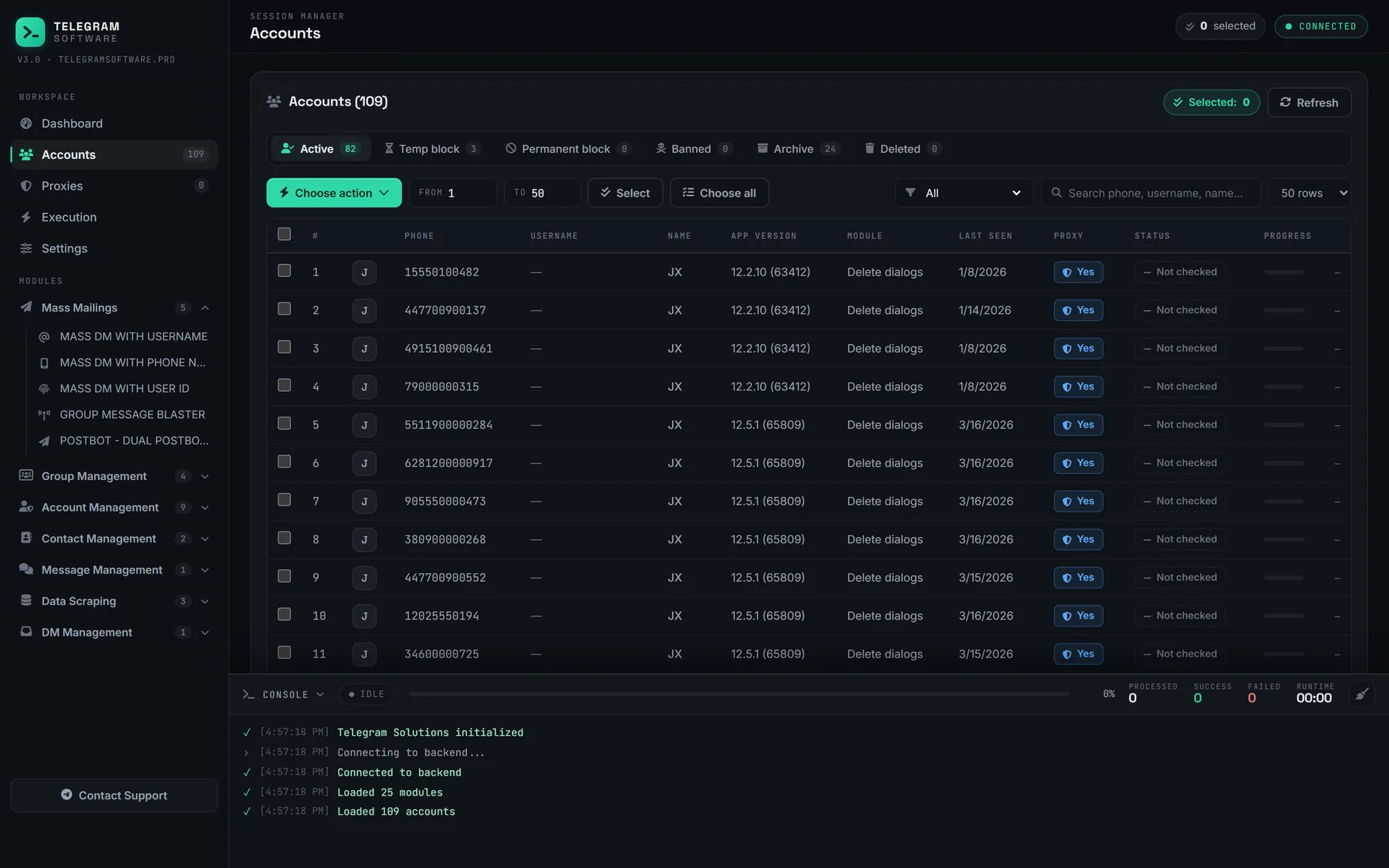
Our Session → TDATA module does its conversion offline, on the PC it runs on, and the session manager loads both Session + JSON and TDATA accounts into one table where each row shows the phone, username, app version, proxy and restriction status. Once there are more folders than anyone wants to open one by one, that table is the point: the accounts stay in their files and the files stay on the machine. The dashboard then shows how many sessions still answer and which picked up a restriction.
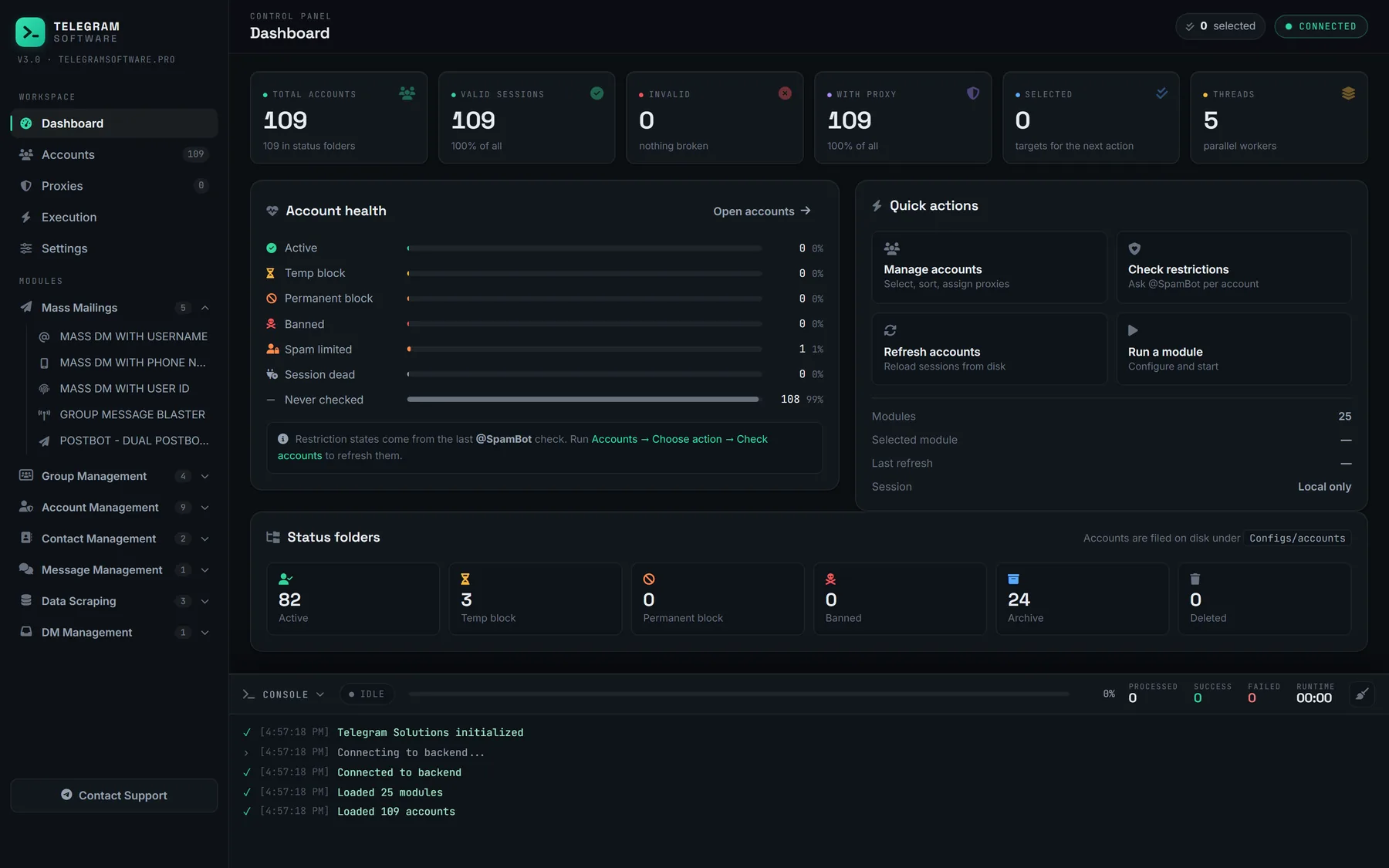
What it will not do is plain. It does not supply tdata, session files, accounts or proxies, it does not revive a session that was terminated, and conversion changes nothing about how Telegram treats the account, which still answers to the Terms of Service whichever file it is loaded from. If an account in a folder owns a channel you mean to keep, handing over channel ownership comes before the folder goes, and chats opened by link without saving a number stay with the account, not the file.