You will see the question typed a dozen ways — can we export chat from telegram, can you export telegram chat on phone, how to export telegram chat on iphone, telegram export chat history android, export telegram chat without desktop — and each gets the same first answer: not from a phone, because the export lives in one desktop app.
The Export Chat button some people remember from a phone is WhatsApp's, for moving a conversation into Telegram. That is an import, and it runs one way.
How to export Telegram chat history on a computer
Telegram added the tool to Telegram Desktop in August 2018, and Desktop, on Windows, macOS or Linux, is still the only official app with it.
- Install Telegram Desktop from desktop.telegram.org and sign in by scanning its QR code from Settings › Devices on your phone.
- Open the chat, group or channel, click the three-dot menu at the top right and choose Export chat history (Export topic history inside a forum topic).
- Tick the media types you want, set the Size limit slider, and pick Human-readable HTML, Machine-readable JSON or Both.
- Check the download path and the date range, which runs from the oldest message to present.
- Click Export, keep Telegram open until Data export completed appears, and press Show my data.
The telegram export chat history mac question hides a trap: a Mac can run two Telegrams. The native Telegram for macOS has no export command, while Telegram Desktop for macOS, from the Windows build's download page, has the menu above.
For the whole account, Settings › Advanced › Export Telegram data adds your profile, a Contacts list of everyone you saved as a contact (synced from your phone, which is why a deleted contact can reappear) and a tick per kind of chat. Two defaults catch people out. Private groups and channels start with Only my messages ticked, and for public groups and channels that box is ticked and greyed out, so only the per-chat menu takes a public group's full history.
What does each export option actually save?
Less than the window suggests, because the defaults are frugal.
| Option | Choices | Default | What the default leaves out |
|---|---|---|---|
| Media types | Photos, Videos, Voice messages, Video messages, Stickers, GIFs, Files | Photos only | Every other type, replaced by "Not included" |
| Size limit | 1 MB to 4,000 MB | 8 MB | Any larger photo or file, marked "Exceeds maximum size" |
| Format | Human-readable HTML, Machine-readable JSON, Both | HTML | The JSON file a spreadsheet needs |
| Date range | Any start and end | The oldest message to present | Nothing |
| Download path | Any folder | The app's download folder | Nothing, each run gets a new folder |
Those defaults are in Telegram Desktop's source as of September 2026, where the 8 MB limit sits on a 100-step slider that tops out at 4,000 MB.
The folder is named ChatExport_ plus the date, with (1) added on a second run that day. HTML arrives as messages.html, messages2.html and onward, 1,000 messages to a file, beside folders called photos, video_files, voice_messages, round_video_messages, stickers and files.
JSON arrives as one result.json, laid out in Telegram's own export schema. Each message carries an id, a date, the sender's display name under from and a from_id such as user123456, the numeric ID behind every sender. Names are display names, not @usernames, and what a username lookup can resolve is another matter.
Why is there no Export chat history button?
Usually the app, sometimes the chat.
Two kinds of reason sit behind telegram export chat history not showing and telegram no export chat history button. Phones and Telegram Web never had the command, as the next section shows; the chat kind is checked in Telegram Desktop's code before the menu is drawn.
The main chat reason is protection. Switching on Restrict saving content removes the export from a group or channel, and since March 2026 a one-to-one chat can carry the same lock through Disable Sharing, a Premium option that leaves a line saying who turned it on. Desktop reads both as a chat that refuses forwarding, the same switch that turns a forward away, and drops the export with it.
The rest are narrower. Secret chats never reach Desktop, since Telegram's FAQ keeps them on the two devices that started them. The item also hides in an empty chat, in the Replies and Verification Codes service chats, and in a private channel you are only previewing until you join through an invite link or an approved join request.
None of that has a setting on your side; with a protected group, the route that respects the switch is its owner.
Can you export a Telegram chat without a computer?
No, not with Telegram's own apps.
Neither the Android nor the iPhone app has an export command, and neither version of Telegram Web has one either. The iPhone app even says so: its account-deletion warning sends you to Settings › Advanced › Export Telegram data in Telegram Desktop to save your data first.
So the phone's whole part in an export is signing a computer in. Borrow any Windows, Mac or Linux machine you trust, install Desktop, scan its QR code from Settings › Devices, export, then end that session from the same screen. Any app or browser extension promising a phone export needs your signed-in session to do it, which hands over the whole account, every chat in it, rather than the one you wanted.
Export Telegram chat to Excel, CSV or PDF
None of the three is an export format.
Telegram export chat to pdf, export telegram chat to csv and export telegram chat to excel all mean converting one of the two files Telegram does write. For a spreadsheet, export with JSON or Both, then in Excel choose Data › Get Data › From File › From JSON and open result.json; Power Query flattens JSON into a table on its own, and the messages list gives one row per message.
The text column is where it breaks. Telegram's schema makes text a plain string for an unformatted message and a list of pieces once it holds a link or bold type, so those rows read List. Switch to text_entities, always a list, and add a custom column with Text.Combine(List.Transform([text_entities], each [text])) to rebuild each message in one cell.
CSV is then a save as CSV UTF-8 (Comma delimited), since plain CSV writes your system code page and turns anything outside it into question marks. PDF skips Excel: open messages.html in a browser and print each file.
How big can a Telegram chat export get?
There is no documented total, only a per-file cap.
The telegram export chat size limit people ask about is that slider, and it works file by file: anything above it is skipped with a note while the export carries on. The method that starts an export takes a maximum file size and names no other cap, so the real ceilings are disk space and time.
Time is what large chats cost. Desktop reads history 100 messages per request, so a group with 200,000 messages means at least 2,000 requests for the text alone, plus a download for every file it keeps, all over the app's own connection, including any proxy Telegram Desktop is set to use.
An export can also refuse to start. That same method may answer TAKEOUT_INIT_DELAY with a wait in seconds, which Desktop words as "For security reasons, you will be able to begin downloading your data in" a number of hours, with a date to repeat the request from the same device. Telegram publishes no fixed length for that wait, so the date in the message is the one to trust.
Group and channel history, from one export to many
Groups take the same five steps, and a telegram export group chat history run from the chat's menu takes every member's messages your account can see.
Channels add one wrinkle. To export Telegram channel chat in full takes two runs, one from the channel for its posts and one from its linked discussion group, which holds the comments.
A bot cannot page back through a chat. The Bot API has no history method, and messages.getHistory is marked users-only. So a bot added today receives new messages rather than old ones, the bot-token and user-session split at its plainest.
Group Content Scraper in our panel is the account-side route: it reads messages, photos, videos, documents and member profiles through sessions from your pool and writes Excel and HTML on your machine, with no JSON step, backing off when Telegram answers with a flood wait. It still needs an account inside each private group, and the joined-chat cap that stops a blaster applies to it too.
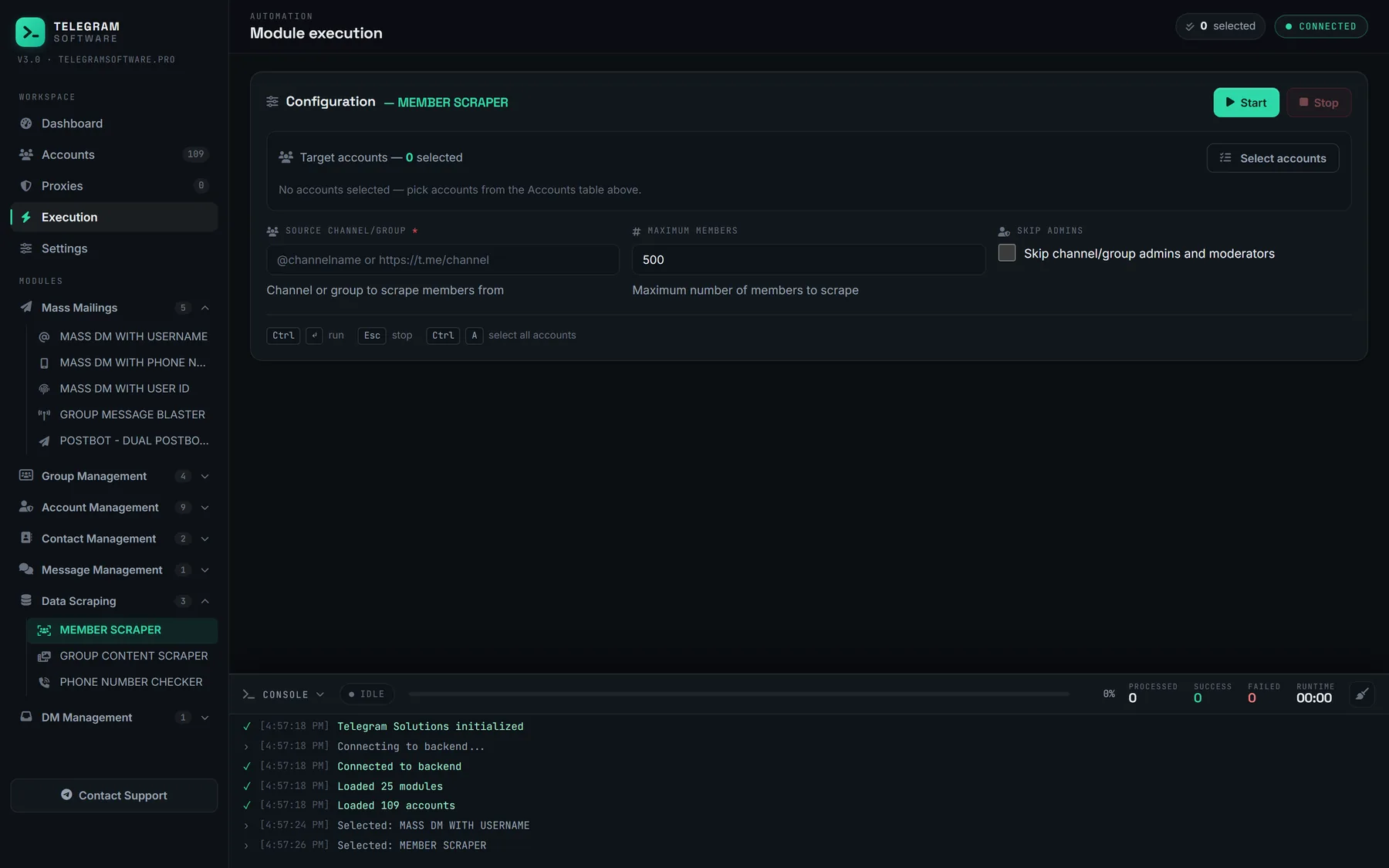
Member profiles turn a history export into data about a crowd. Reading who is inside a group rather than what they said is its own subject, a phone number shows only where its owner's privacy setting allows, and a list like that invites a bulk add run somewhere else. An exported history is other people's words and names, personal data under laws such as GDPR, so keeping it, and above all messaging those people, needs a lawful basis no software supplies.
What this guide and our panel will not do
This page stops at the owner's switch, because Telegram's documentation tells every client to disable downloads, copying and forwards in protected chats and we will not describe a way around that. Our software reads only what a signed-in account can open, never reaches a secret chat, raises no Telegram limit and makes no account undetectable; you bring the accounts and proxies, and the account doing the reading answers to Telegram's Terms of Service.