Nobody at Telegram calls it warming. You will find the same job sold as a telegram warm up tool, telegram warmup software, telegram warming software, a telegram account warmer, a telegram accounts warming bot, a telegram account aging tool or a telegram session warmer, and under every label the product is one thing: a program that signs in as your account and behaves like its owner for a while.
What does it mean to warm up a Telegram account?
It means giving a new login a past.
A freshly registered account has a number and nothing else: no photo, no contacts, no chats, no record of ever having read a message. A telegram account warmup fills that in with ordinary use before any bulk job starts. The profile gets completed, a few channels and groups get joined, posts get read, and a handful of conversations happen with people who answer.
Two documented facts sit underneath the practice, and neither mentions warming. The first is on the page where developers collect their credentials. Telegram's API ID instructions say that, due to excessive abuse of the API, all accounts that log in using unofficial Telegram API clients are "automatically put under observation". Every multi-account tool is such a client, ours included, so a session loaded into one is watched from its first request whatever it did the day before. The second is in the spam FAQ: an account becomes limited after recipients press Report spam and moderators agree with them. Reports, in other words, and not a counter.
Where the advice to wait comes from
The nearest thing to an endorsement of waiting comes from a third party. The Telethon FAQ, written by the maintainers of a widely used Python client, says the recommendation "has usually been" to use the library on well-established accounts and not on one you just created, then adds that Telegram decides what counts as abuse and is free to change how it operates at any time. That is the whole evidential basis: a library author's advice and a great deal of operator folklore.
Scale is what makes it a topic at all. Somebody switching between a few logins inside the official app, within the account slots each Telegram app gives you, is on an official client and never meets the question.
Every warmup schedule is a vendor's estimate
There is no official number, not for days, not for messages and not for joins.
We read the pages that rank for this subject in October 2026 and put their schedules side by side. They run from one week to about two months, and none links a Telegram source for its figures.
| Length | Where it ends | Telegram source cited | |
|---|---|---|---|
| A proxy seller's guide | 7 days | "Light promotion" on the last day | None |
| A messaging tool's help page | 12 days | About 75 conversations a day | None |
| Another tool's documentation | About 60 days | A cap of 500 messages a day | None |
| Telegram itself | Not published | Not published | Nothing to cite |
Read those rows as what they are: each vendor's own experience, or its guess, written down. The spread is the useful finding. If seven days and sixty days are both sold as the answer, the days are not what does the work.
The plans do share an order. Profile first, then joining and reading, then receiving and replying, and only after that writing to anyone new.
A telegram warmup bot signs in as a user, not as a bot
The name is borrowed.
A Telegram bot runs on a bot token through the Bot API, and a bot cannot read a channel as a subscriber or start a conversation with a person, which is the same wall that decides what is really sending a bulk direct message. Nothing a bot does adds history to your account, because the bot is a different account. So a telegram warmup bot is, in every real product, a user client: it holds your session and calls the methods the official apps call, as you. Which of the two a seller means is the first thing to settle, and whether the installer asks for a bot token or an account login settles it on one screen.
Once signed in, a warmer has a short list of things it can do, and all of them are ordinary methods. It can set a name, a photo and a bio. It can join public channels and groups, usually from a list you supply or from groups that turn up in Telegram's own search, and open them so that posts are marked read. Reactions, poll votes and messages come next, the messages most often going to other accounts in the same pool so that every conversation has two willing sides. And it can do nothing for a while, which is most of what a real account does.
Telegram warmup automation is the scheduling of those calls: which account does what, in which order, with how long between, across how many days. Products differ there, and in how they treat an error. A join can come back as CHANNELS_TOO_MUCH, which the join method's reference lists without giving a number. Any call can come back as FLOOD_WAIT_X, defined in the error reference as a required wait of X seconds. A warmer that reads the wait and sleeps is behaving correctly. One that retries straight away is flooding, on an account whose only job that week was not to.
Bots keep one honest role near this work. A forwarding bot reaches only the chats it was added to, so it can feed posts into a group your accounts sit in, and they can read them there.
A staged warmup, in the order each stage depends on
Order matters more than duration.
The sequence below is the one our own runs follow. We give no day counts with it, because we would be inventing them; in our runs the stages are spread across days, not hours, and an account that draws a wait is left alone instead of pushed.
- Sign in where the account will stay. Load the session on the proxy it will keep, since the four fields a SOCKS5 or MTProto proxy needs are easier to get right once than to change mid-week, and keep its files together. With desktop-format accounts, the tdata folder is the login itself.
- Complete the profile and set a two-step password. Both cost nothing on the first day, and the password starts a clock you may need later, because passing a channel to another owner account asks for one that has been in place for a week.
- Add contacts in both directions. A limited account can still write to people who saved its number, so mutual contacts inside your own pool are the one audience an account never loses. Import with care all the same: whether a bare number opens a chat at all is the other person's setting, and an address book stuffed for the occasion is one you will later be clearing out of the contact list again.
- Join a few public chats and read them, with nothing posted yet.
- Hold conversations that get answers. Messages between your own accounts, and replies in groups where replying is the normal thing to do.
- Check the account before it works. Ask the official bot from each account, read what the @SpamBot reply says about that account, and only then assign it to a job.
No stage here is a trick: every item is a thing the account will need anyway, done before the need is urgent.
Does a telegram account warmup prevent limits or bans?
No.
A telegram account warmup changes what an account has done. It does not change what the account is allowed to do, and it has no say over what happens after a stranger reports it. The spam FAQ is specific about the mechanism: recipients press Report spam, the messages go to moderators, and if the moderators agree the account is limited, for "a few days or so" the first time and for longer after that. An old account that writes to people who did not ask is reported exactly as a new one is. A report is weighed by a moderator against a rule, which is why neither a pile of reports nor a pile of history decides the outcome by volume.
Some limits arrive before any behaviour at all. The same FAQ has an entry for people who have just signed up, sent nothing and are limited anyway, and it blames the number: its previous owner's activity, or the fact that it is a virtual or VoIP number. No warmup reaches that. Nor does a warmup shorten a limit already applied, since Telegram's answer to a request for early release is that it is impossible.
So here is what our module will not do. It does not raise or remove any Telegram limit, because those live on Telegram's servers and apply to every client. It does not lift a limit that @SpamBot reports, take an account out of the observation Telegram describes, or supply the accounts and proxies it runs on. And we would not describe ageing as a disguise. It is history, and history is only worth something when what follows it is also ordinary.
To warm up telegram accounts before mass dm, start with the recipient
History is not the variable that decides a campaign.
People search for how to warm up telegram accounts before mass dm as if the warmup were the preparation. It is the smaller half. A direct message to a stranger is, on Telegram's own description, the thing recipients report, and its Terms of Service forbid using the service to send spam. A warmed account sending an unwanted advert is limited on the same reports as an unwarmed one. Client libraries surface that state as a PeerFloodError, which Telethon's FAQ reads as "you're limited" and which Telegram's public error list does not carry. The list, the consent behind it and the message come first.
Warmup also leaves things behind that a working account has no reason to keep. Chats it joined only to read can go by leaving every joined group in one pass, test conversations by clearing a private chat for both sides, and anything worth holding as a record should be saved beforehand by exporting that chat to a file.
Script, hosted warmer or suite module: three kinds of telegram warm up tool
The choice between them is a choice of who holds the sessions.
A telegram warm up script is the cheapest route and the most work. A few dozen lines on a client library will join a list of channels and pass messages between accounts, but each account then needs an api_id and api_hash, which come one pair per number, its own proxy and its own error handling, and the schedule is yours to write and to keep working when Telegram changes a method.
A hosted telegram account warmer takes that work away and takes the sessions with it. You upload the files, the service runs them from its own servers, and for as long as it does a third party holds logins to your accounts on addresses you did not choose. A telegram session warmup sold this way should be judged as custody first and features second.
What the module does, and the checks beside it
Telegram account warmup software that runs on your own machine is the third shape, and it is the one we build. Account Warmup is one module in the suite: it runs staged cycles of randomised, ordinary activity across the accounts you select, through the proxy already assigned to each, and writes to the same log as every other job. Telegram Simulator covers the quiet side, the scrolling, reading and idling. Sessions stay on the PC.
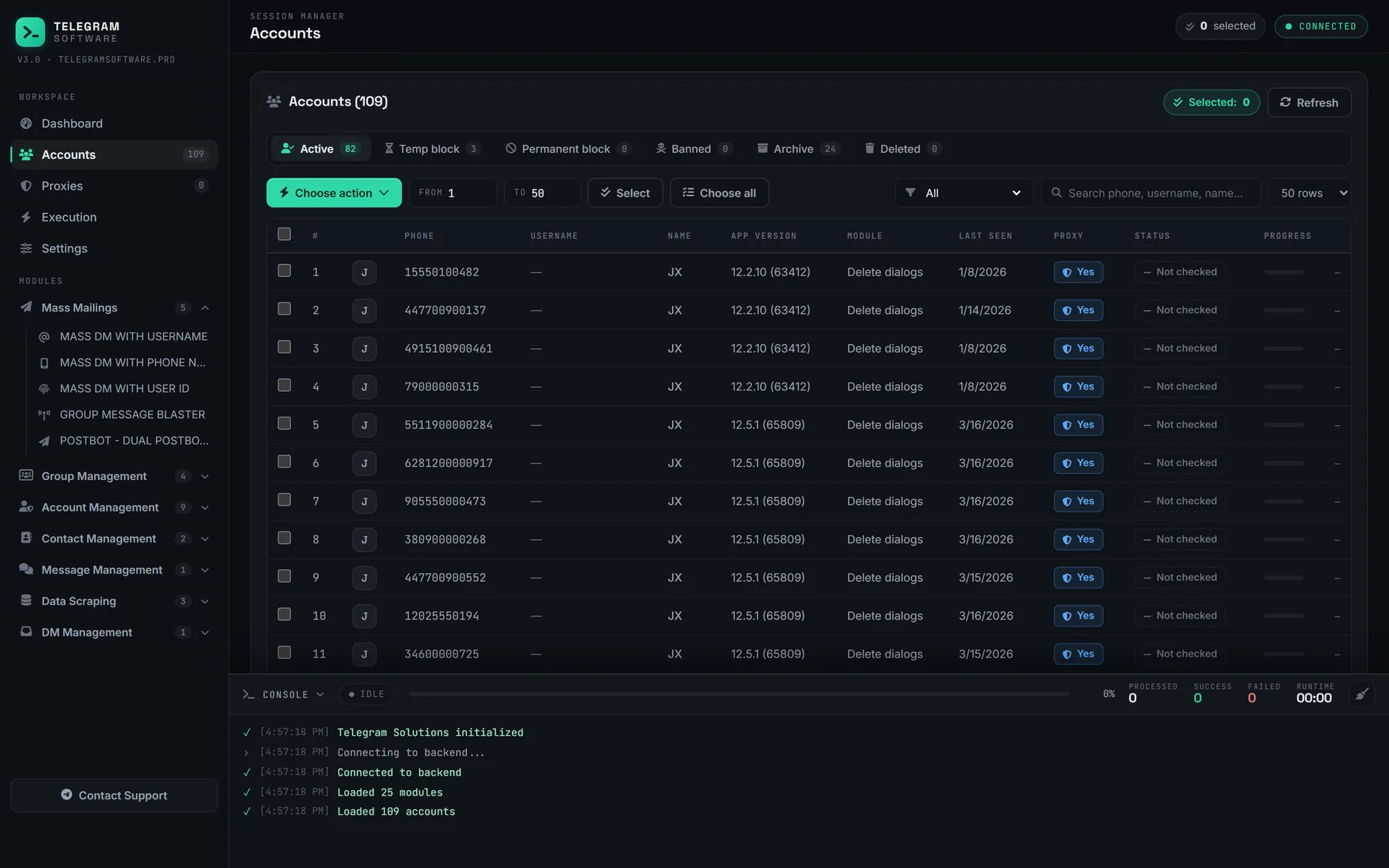
Because the modules share one session pool, the checks sit beside the warmup and not in a separate product. Check Accounts tells you whether a session still authorises, SpamBot Check asks the official bot on each account's behalf, and the Status column shows the result before anything is assigned to a run. That is the practical case for a suite over a script: not a better schedule, since nobody has one from Telegram, but one place where an account's history, proxy and standing are visible together.