Overview / Blog / Removing contacts
Modules  ·  12 Sep 2026  ·  5 min read

Why deleted names come back, and how to remove contacts from Telegram for good

Deleting one person is the easy half of how to remove contacts from Telegram: open their profile, choose Delete Contact, confirm. The hard half is sync. Telegram keeps the address book your phone uploads, so a number still saved on a phone that syncs can be added straight back. Turn Sync Contacts off first; then Delete Synced Contacts, under Privacy and Security, clears everyone in one step.

How to delete a contact from Telegram on Android, iPhone and PC

Every app keeps the button on the person's profile, and none calls it remove: a search for telegram remove contact lands on Delete Contact.

Anyone asking how to delete telegram contacts on android gets the shortest path. Open the chat, tap the name at the top, then ⋮, then Delete Contact, and confirm. To delete telegram contacts, iPhone users tap the name, then Edit, then Delete Contact. How to delete telegram contacts on PC is the same move in Telegram Desktop on Windows, macOS or Linux: click the name to open the profile panel, open ⋮, choose Delete contact and confirm it.

That removes the name and does nothing else. The chat and its messages stay, and the person can still write to you; clearing history and blocking are separate menu items. If someone is harassing you, block and report instead: what a report sets in motion is a moderator's review. Want them back later? Saving someone again from their username needs no phone number.

Why do Telegram deleted contacts reappear?

Because a phone put them back.

With Sync Contacts on, Telegram imports the address book of every phone logged in to your account, and any number in it that belongs to a Telegram user returns to your list. Telegram's own FAQ on deleting contacts tells you to remove the person from the phone's contacts as well: "Telegram stays in sync and will add the contact back if you don't." A January 2024 report on Telegram's bug tracker, of a contact back within a day, got the same fix from a moderator.

The Android app does remember a number you deleted inside it, but only in that phone's local cache. Another phone signed in to the account knows nothing about it, and Delete Synced Contacts wipes that memory, so with sync still on the whole list can return on the next pass. There is something to return because Telegram stores your up-to-date contacts to tell you when one of them joins.

How to delete Telegram contacts permanently, synced ones included

Order matters, and one step needs a phone. This is how to remove contacts from Telegram for good, and how to delete Telegram synced contacts from phone and server together:

  1. On every phone logged in to the account, switch Sync Contacts off. Android keeps it on the Privacy and Security screen under Contacts; an iPhone keeps it under Privacy and Security, then Data Settings.
  2. On one of those phones, tap Delete Synced Contacts and confirm. It removes everyone in your Telegram list, synced or saved by hand, along with the copy Telegram stored.
  3. To remove Telegram contacts from phone storage too, delete them in the phone's own Contacts app, which Telegram never edits for you.
  4. Open the Devices list in Settings and end any session you no longer use.

Looking for Delete Synced Contacts? Telegram Desktop has no sync switch and no reset button, and the privacy policy sends you to a mobile app.

Will they know you deleted them?

No notice goes out.

The worry behind telegram delete contact will they know is a notification, and there is none: the call edits your list only, and its reply comes back to your app. What they may notice is quieter. If you had saved each other, you stop being mutual contacts, which counts for group invites that check for a mutual contact. Anything you limited to My Contacts, such as last seen, your profile photo or the link to your profile on a forwarded message, stops reaching them. Whether they can still match your number to you is the setting that decides who finds you by number.

Deleting Telegram contacts in bulk, across one account or fifty

People ask how to delete telegram contacts in bulk, how to delete telegram contacts at once and how to delete all contacts on telegram as though those were three jobs. A phone has two buttons for them — Telegram Desktop has none.

Android starts a selection when you long-press a name in Contacts; an iPhone offers Select when you press and hold one. For everyone, Delete Synced Contacts is the button, whether or not sync added them.

Underneath, the apps call contacts.deleteContacts, which takes a list of users and is open to user accounts only. No bot can, so tools that log in as accounts are the only kind that can mass delete telegram contacts. Telegram documents no per-call cap and no daily figure; a method called too often answers with FLOOD_WAIT_X, a wait in seconds.

At volume, address books fill up for ordinary reasons. A phone-number DM run often imports its targets first, and numbers from a group's member export get saved on the way to a bulk add into a group. An invite link needs no contact on either side, so that route never fills the list; the groups an account joined for a blast run are a separate clean-up.
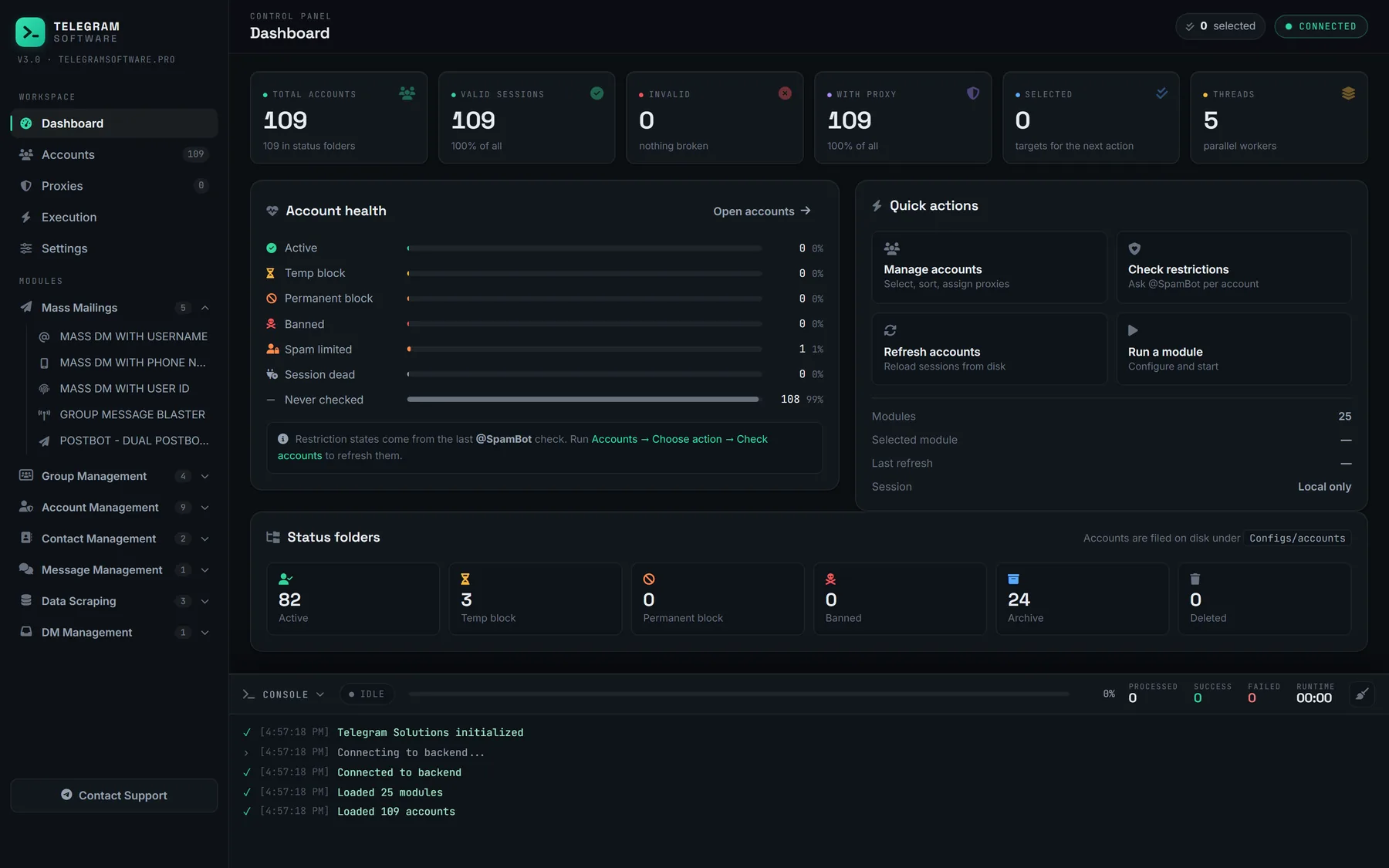
Dashboard and live log for a mass delete telegram contacts run; a PC session uploads no phone book to add names back

Our Delete Contacts module runs that call from each account you select. Tick Delete All Contacts and it reads the account's whole list first; leave it clear and it takes usernames or numbers, one per line. It sends twenty contacts per call, pauses for a randomised Delete Delay between batches, waits out a flood wait shorter than five minutes and stops that account on a longer one, then logs each account's deleted and failed counts. A PC session uploads no phone book, so nothing there adds the names back.

It deletes no chats and blocks nobody. It cannot switch sync off on a phone still signed in, lifts no Telegram limit and supplies no accounts or proxies. Telegram's Terms of Service say nothing about emptying your own list; they bind what those accounts sent before it.

Questions

What happens after Delete Contact

Will someone know if I delete them from my Telegram contacts?
Not from Telegram. No message, push or badge is documented for it: the deletion is a request your app sends about your own list, and the reply comes back to you alone. Asked as telegram delete contact will they know, the question is usually about a notice, and there is none. What can change is what they see of you. If you had each other saved, you stop being mutual contacts, and anything you limited to My Contacts, such as your last seen time or profile photo, stops showing to them, which an attentive person may notice. Their own contact list is untouched, so you stay in it if they saved you, and they can still message you. If the goal is to stop hearing from them rather than to tidy a list, block them from their profile as well, because deleting does not do that.
Does deleting a Telegram contact delete our chat or block them?
No, it does neither. Delete Contact removes the person from your contact list and nothing more, so deleting telegram contacts leaves every chat and message where it was, and the person can still write to you within your privacy settings. Clearing a conversation and blocking are separate actions in Telegram's API and separate items in the apps. To clear the chat, open it and use the delete or clear option, which can remove it for both sides where Telegram allows. To block, open their profile and choose Block. There is no hidden telegram remove contact action elsewhere either: Delete Contact is the only one, on phones and on Telegram Desktop alike. If someone is harassing you, report them from the chat before you clear it, because the report needs the messages, then block them. Deleting them as a contact on top of that is optional.
Can I delete synced contacts on Telegram Desktop?
No, because Telegram Desktop never uploads an address book in the first place. It has no Sync Contacts switch and no Delete Synced Contacts button, and its data-export screen points people to Privacy and Security in the mobile apps instead. Telegram's privacy policy says the same about deleting synced contacts: it is done in a mobile app. So the practical answer for delete synced contacts telegram desktop users is to pick up a phone signed in to the same account. On Android the button sits on the Privacy and Security screen under Contacts; on an iPhone it is under Privacy and Security, then Data Settings. What Desktop can do is remove people one at a time from each profile's ⋮ menu, which is how to delete telegram contacts on pc when only a few need to go. Run the reset on the phone, and the Desktop list follows.
Why does a contact I deleted keep coming back?
Because a phone is still syncing it. With Sync Contacts on, Telegram keeps importing the address book of each phone logged in to your account, and any number there that belongs to a Telegram user is added to your list again, which is the usual reason telegram deleted contacts reappear. Telegram's FAQ tells Android users to delete the person from the phone's contacts too, and a moderator on its bug tracker gave the same fix in January 2024. The Android app does remember a number you deleted inside it, but only in that phone's cache, so a second phone, or a reset of that cache, undoes the memory. That is how to delete telegram contacts permanently: switch sync off on every phone, delete, and remove the number from the phone's own contacts before sync is ever back on. To delete telegram contacts, iPhone and Android follow the same order.
Does removing a number from my phone delete it in Telegram?
Not in Telegram's Android app, and it is safest not to rely on it anywhere. Removing a number from the phone's own address book only stops it being synced again. The Android client is written not to delete a Telegram contact just because the number vanished from the phone, since one number can be stored in formats it cannot reliably compare. So to remove telegram contacts from phone and Telegram together, work both ends: delete the entry in the phone's Contacts app, then delete the person in Telegram. The reverse holds too, since deleting someone in Telegram leaves your own contact card alone. For how to delete telegram synced contacts from phone storage and Telegram's servers in one pass, switch Sync Contacts off and tap Delete Synced Contacts. Anyone checking how to delete telegram contacts on android will find that button on the Privacy and Security screen itself, not in a Data Settings menu.
Is deleting Telegram contacts in bulk against Telegram's rules?
Nothing we can find forbids it. Telegram's Terms of Service deal with what accounts send, such as spam and scams, and say nothing about emptying your own address book, and the apps themselves offer multi-select and a delete-everything button. The limits are technical. Telegram documents no cap on how many contacts one deletion call can carry and publishes no daily figure, so how to delete telegram contacts in bulk comes down to pacing: a method called too often returns FLOOD_WAIT_X, a wait in seconds that has to pass before the next call. Scripts and tools that mass delete telegram contacts mostly differ in whether they honour that wait. On a phone, how to delete telegram contacts at once is simpler still: Delete Synced Contacts clears the whole list, which is also how to delete all contacts on telegram. The rules that matter sit upstream, with whoever imported strangers in order to message them.

One address book or fifty, emptied in the same run

Delete Contacts clears the lists of the accounts you select, twenty contacts per call, and pauses when Telegram asks it to slow down, or stops that account if the wait runs past five minutes.