The phrase covers three different products, and search results mix them freely. One is a chatbot that reacts when a person joins your group, with a welcome message or a captcha. Another is an admin bot that approves join requests, which is what a search for a telegram channel auto join bot mostly returns. The third is what most people typing telegram auto join groups are after: software that takes a list of links and gets accounts into every chat on it. Only the third does any joining, and it is sold as a telegram group joiner bot, a telegram channel joiner bot, a telegram auto group joiner or plain telegram group joiner software, none of which is a bot in Telegram's sense of the word.
That distinction decides everything else on this page.
Can a telegram group join bot join a group by itself?
No.
A bot on Telegram is an account created through BotFather and driven with a token, and it enters a group in one way: a person who is already there adds it. The Bot API describes the relevant switch, can_join_groups, as whether the bot "can be invited to groups", which is passive on purpose. On the other side of the platform, the reference page for channels.joinChannel carries the line "Only users can use this method", and the two invite-link methods beside it say the same. A telegram group join bot built on a token therefore has nothing to call. It cannot follow a t.me link, cannot open a public group by username and cannot send a join request.
So every working joiner is a user client. A telegram auto join group bot that does what its name promises signs in with phone numbers, holds a session per account and joins as those accounts, each one visible in the member list under its own name. Vendors keep the word bot because buyers search for it. It is also why these tools ask for accounts instead of a token, and why the first practical question is how many accounts Telegram lets one person hold, since the official apps keep only a few logins side by side.
The other two products are real bots, and they deserve a few lines because half the searches want them. A bot that greets or screens new members is added to the group as an admin and reacts to the join event. A bot that approves requests relies on a different mechanism: Telegram's invite link documentation says bot administrators "will receive an updateBotChatInviteRequester update for each separate join request", and the bot answers by approving or dismissing. Both work on a chat you control. Neither can enter a chat you do not.
The two calls behind every join, and the errors they return
A user account joins a chat with one of two requests. Public groups and channels, the ones with a username, go through channels.joinChannel. Private ones go through messages.importChatInvite, which takes the hash at the end of an invite link; Telegram's link reference lists the forms as t.me/+hash, the legacy t.me/joinchat/hash and tg://join?invite=hash. A third request, messages.checkChatInvite, reads a link's title and size without joining, which is how a careful tool tests a list before spending joins on it.
Nothing else gets an account in. A chat's number in particular is no use here, because the numeric chat ID that stays the same for life identifies a chat to accounts that already hold its access hash and opens nothing for a stranger. A telegram join group script written against Telethon or Pyrogram makes exactly these calls, signed in with an api_id registered against one phone number, and so does every paid tool. They differ in what they do with the answer.
| Telegram's meaning | The right response | |
|---|---|---|
| CHANNELS_TOO_MUCH | The account has joined too many channels and supergroups | Stop this account; it is full |
| INVITE_HASH_EXPIRED | The invite link has expired | Drop the link for every account |
| INVITE_REQUEST_SENT | A join request was filed and waits for an admin | Mark it pending, not joined |
| USER_ALREADY_PARTICIPANT | The account is already a member | Skip it without a retry |
| USERS_TOO_MUCH | The chat has reached its maximum number of users | Drop the chat for every account |
| FLOOD_WAIT_X | A wait of X seconds is required | Rest this account for X seconds |
The first five rows come from the method pages as they stood in October 2026, and the last from the general error list. Read down the right-hand column and one pattern shows. Only one of the six is cured by waiting.
How many groups can one account join?
Five hundred, as things stand.
Telegram's client configuration reference defines channels_limit_default as "the maximum number of channels and supergroups a non-Premium user may join" and sets it at 500, with a Premium counterpart at 1,000. Both are server-side defaults that Telegram can change, and they count groups and channels together. An account at the ceiling gets CHANNELS_TOO_MUCH on its next join and will go on getting it however long it rests. It is a cap on the account, not a speed limit.
Twenty accounts hold ten thousand memberships between them on paper, and a request to telegram mass join groups or telegram bulk join groups is usually a request to spread one long list across several ceilings. The ceiling is shared with everything the account already joined, though, so a session that arrived with three hundred old chats has two hundred slots left.
As for telegram all group join, one button that joins everything: there is no such call. Every join is one request, for one chat, by one account.
How fast can a telegram auto group joiner work through a list?
Telegram does not say.
No page of the documentation gives a number of joins per hour or per day. The error reference defines only the brake: a 420 response means "the maximum allowed number of attempts to invoke the given method with the given input parameters has been exceeded", and FLOOD_WAIT_X states the wait in seconds. Figures passed around forums, a handful of joins an hour or a few dozen a day for an account with some history, are observations from individual operators, and no telegram auto group joiner raises the threshold by being clever about it.
Software can only respond properly. A wait of ninety seconds honoured in full costs ninety seconds, and retrying into it achieves nothing.
Pacing for telegram auto join group work therefore comes down to a delay between joins that varies, a cap on joins per account per run, and a full stop for any account told to wait. Spread across a pool, a long list becomes a job measured in days.
Join requests and expired links
A link list goes stale faster than an account list.
The same invite documentation says a private link "can optionally have an expiration date, a usage limit", and that a revoked link can no longer be used to join. A link copied from a directory last month may have run out of uses, been revoked, or belong to a chat that has since closed. Each of those comes back as an error on the first attempt, and the right response is to strike the link for the whole pool instead of letting every account discover it separately.
Join requests are the case tools most often get wrong. When an admin has switched on approval, the account does not join. It files a request, and the server answers with INVITE_REQUEST_SENT, described as "You have successfully requested to join this chat or channel." The reply arrives as an error and it is not a failure, though it is not a join either: the account sits in a queue until an admin, or the admin's approval bot, lets it in or dismisses it, and nothing on the joiner's side can hurry that. A tool that counts requests as joins reports a total that will never match the chats the account can actually open.
Chats with no link, and the one official shortcut
Some chats have no way in at all. A private group whose links are all revoked can be entered only when a member adds you, which starts with a person and not a tool: saving that person as a contact from their username, or looking them up by phone number where their privacy settings allow it. If a number is all you hold for the admin, writing to a number that is not in your contacts is possible, and it is the polite way to ask for a fresh link.
One official shortcut exists. A shared folder link, the t.me/addlist/ form, lets a single tap join every chat its creator put in the folder. It is the nearest thing Telegram has to a telegram auto join channel feature, or to a way to auto join telegram channels in bulk, and it is tightly rationed: the configuration reference lets a non-Premium account join two such folders, and twenty with Premium.
What the Join Groups / Channels module does with a pool
Our Join Groups / Channels module is a user client in the sense described above, with the pool handling that a script leaves to you. A run goes in this order.
- Load the accounts. Each is a session file with its JSON, or a tdata folder lifted from a desktop or portable install, and each gets a SOCKS5 or MTProto route of its own in the session manager.
- Check them. Check Accounts shows which sessions still authorise and SpamBot Check shows which are limited, so neither kind is handed work.
- Give it the list of public usernames and invite links. Most honest lists start with groups collected through Telegram's global search.
- Select the accounts for the run, then set the per-account cap and the delay range.
- Start it and read the log, where each attempt is recorded against the account that made it.
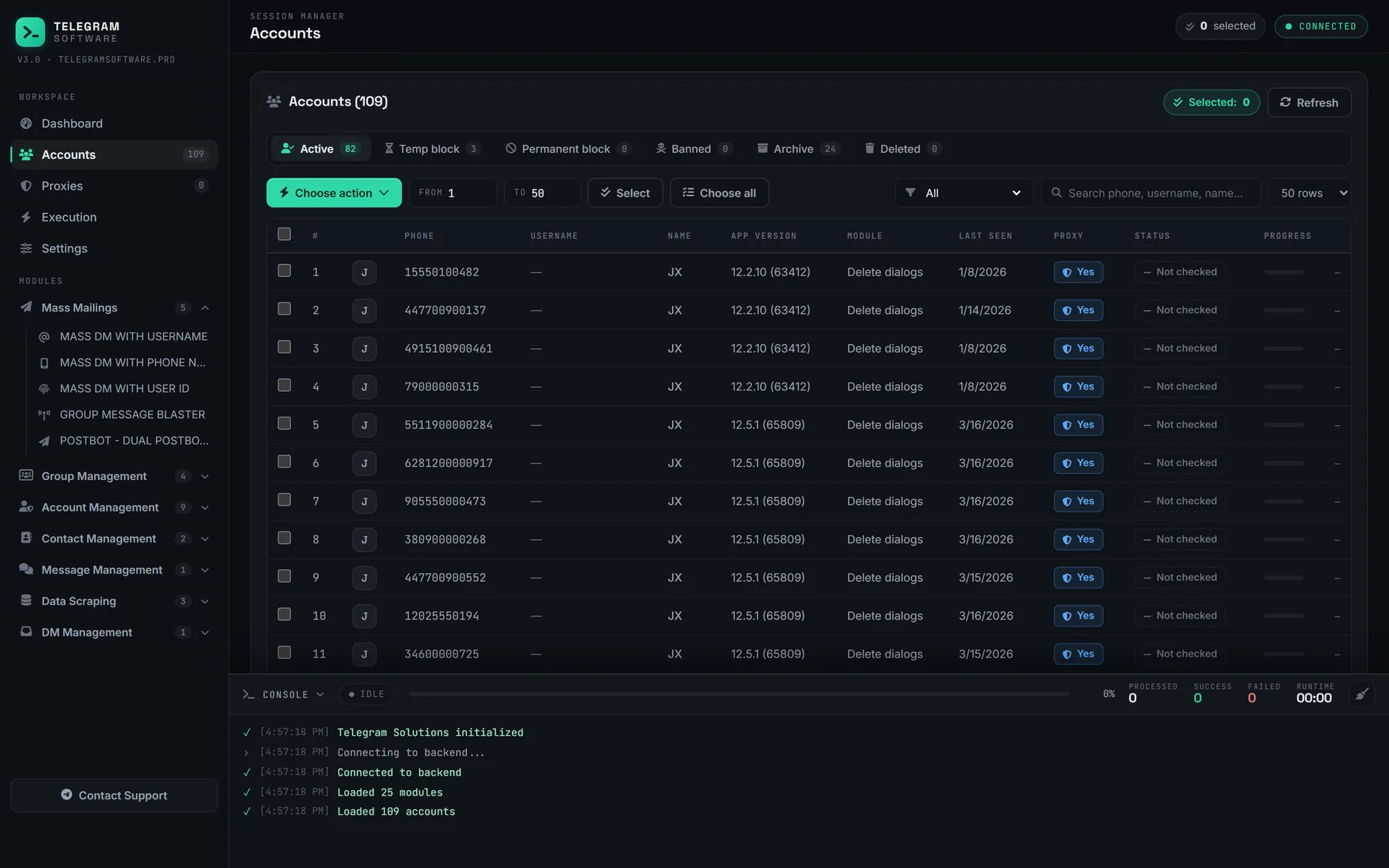
The screenshot is the session manager, the screen a run starts from. From there the selected accounts work through the list under the same pacing engine as every other module: delays are randomised inside the range you set, a flood wait rests the account that received it while the others carry on, and an account that returns CHANNELS_TOO_MUCH has no more joins in it whatever the software does. That is most of what a join telegram groups with multiple accounts tool has to get right. It is bookkeeping.
Is a telegram join group script enough for the job?
None of this is beyond a script. The difference between a telegram join group script and a suite is who keeps the books: which account is in which chat, which link died for which reason, which session is resting until when. With three accounts a spreadsheet does it. With sixty, the spreadsheet is the job.
The list of things the module does not do is shorter. It does not raise the 500 ceiling or any flood threshold, because both live on Telegram's servers. It cannot approve its own join requests. It does not supply accounts or proxies, and nothing about it hides an account from the admins of the groups it enters. We built it to handle refusals correctly, not to dodge them.
What happens after the accounts are in?
That depends on why they joined, and it is where the risk sits.
Joining is ordinary behaviour. Telegram's spam FAQ does not address it; what the page names is spam and unsolicited advertising sent into groups, and adding people to groups they did not ask for, both of which end in a limited account. The Terms of Service forbid using the service to send spam. So a pool that joins two hundred trading groups and reads them is doing nothing those rules describe, while the same pool running a blaster that drops one advert into every room is doing exactly what admins report. Admins see every arrival in the member list, too. A dozen new members who turn up within the hour and post the same line tend to be removed together.
The other common reason is data. Accounts join a source group so its member list can be read, the first step towards pulling an audience into your own group in bulk. A member list is personal data, and writing to the people on it is direct marketing that needs a lawful basis. Membership of the group does not supply one.
Plan the exit as well. Slots come back when an account leaves, so emptying an account of the groups it has finished with is the other half of any joining routine, after saving a chat's history to a file where it held anything worth keeping and removing what the account posted there. Where a pool account ended up owning a group or channel it created along the way, hand that channel to an account you intend to keep before the session is dropped.
A telegram join group bot, whatever the sales page calls it, is a list, some accounts and a careful reading of what Telegram answers. The joining was never the hard part.