Accounts collect bots the way browsers collect tabs. One was started to pass a group's captcha, another to track a parcel, a third through a referral link a channel post carried. Months later they are all still writing. The fix Telegram offers takes two taps and is the one people ask how to avoid, usually typed as telegram stop bot without blocking, and that question deserves a straighter answer than "try /stop".
Is stopping a bot the same as blocking it?
Yes. It is the block you would put on a person.
The apps used to soften this and no longer do. In the English language packs we read in October 2026, a bot's profile on Android and iOS offers Block Bot, deleting the chat offers Delete and Block, and Telegram Desktop spells out both halves as Stop and block bot. All three put the bot in Settings > Privacy and Security > Blocked Users, beside any people already there. Restart Bot reverses it. iOS confirms the result in one line, saying the bot will not be able to message you.
The bot is told, too. Telegram's Bot API reference defines an update named my_chat_member and says that in private chats it "is received only when the bot is blocked or unblocked by the user". After that every send to you is refused on Telegram's servers, with an error bot developers report as Forbidden: bot was blocked by the user. A block is the one option in this article that acts before a message reaches your devices.
Why could the bot write in the first place? Because you let it, once. Telegram's introduction to bots states that a bot cannot start a conversation: a person has to message it or add it to a group first. Pressing Start does exactly that, and it hands the bot the numeric ID that doubles as your private chat ID, which is the only address it needs. A bot gets no phone number from this and has no use for one, so nothing resembling writing to a number that sits in nobody's contact list exists on the bot side. The ID stays with the bot until a block makes it useless.
What can you do to a bot short of blocking it?
Four things, and only one of them can end the sending.
The wish is typed a dozen ways: how to stop telegram bot without blocking, telegram stop bot messages without block, how to stop bot messages on telegram without blocking. Every version gets the same reply, and it fits in a table because each option changes something different.
| Action | Do its messages still arrive? | Is the bot told? | On your blocked list? | How to undo it |
|---|---|---|---|---|
| Mute the chat | Yes, without a sound | No | No | Unmute |
| Archive it while muted | Yes, inside the Archive | No | No | Unarchive |
| Clear the history | Yes, into an empty chat | No | No | Cleared messages stay gone |
| Delete the chat only | Yes, and the chat comes back | No | No | Nothing to undo |
| The bot's own /stop or settings | Depends on its developer | Yes, you wrote to it | No | Send /start |
| Block Bot | No | Yes | Yes | Restart Bot |
The "Is the bot told?" column follows from that same list of updates in the Bot API, which has an entry for a block and none for a mute, an archive, a cleared history or a deleted chat. The arrival column is our own reading of how each action behaves.
Mute, then archive
This pair is what a search for telegram silence bots is after. Open the bot's chat, choose Mute, then Mute Forever. Messages keep landing and the unread count keeps climbing, with no sound and no banner. Archiving then takes the chat out of the main list, and the mute is what keeps it there: Telegram Desktop notes, whenever you archive something, that muted chats stay archived when new messages arrive, while an unmuted one returns to the main list with its next message. The 2019 post that introduced the Archive gives the same rule. A muted, archived bot can broadcast daily for a year and you will see none of it unless you open the Archive.
One shortcut helps with a crowd of them. A chat folder can be built from a chat type instead of hand-picked chats, and Bots is one of the types. That folder's menu on a phone includes Mute All — the nearest thing the official apps have to a telegram bot muter.
Telegram delete bot without blocking: the chat goes, the subscription stays
Deleting is where most people expect more than they get. The request reads telegram delete bot without blocking, and the apps allow it, since iOS shows a plain Delete beside Delete and Block. Choose the plain one and the conversation leaves your list. Nothing else happens.
The bot receives no update, still holds your chat ID, and its next broadcast rebuilds the chat as if you had never left. We know of no Telegram page that documents this; it follows from what the bot is and is not told. Clearing the history is the same move minus the vanishing: the chat stays in place, empty, until the next message.
Clearing cannot be undone, so if a bot chat holds receipts, licence keys or booking codes, take a file copy of that one chat from Telegram Desktop first. And if the aim is to take back what you typed to a bot rather than what it sent you, that is bulk deletion of the messages you sent, a separate job with its own rules.
The bot's own off switch
Plenty of bots answer /stop, /unsubscribe or a notifications button in their menu. None of that is a Telegram feature. Telegram's guidance for bot developers asks every bot to support three commands, /start, /help and /settings, and a stop command is not among them. Where a developer built one, it is the only real answer to how to stop telegram bot from sending messages without blocking, because the bot itself goes quiet and nothing on your side has to hide anything. Where there is none, or it is ignored, you are back at the table.
Telegram has heard the request. A suggestion titled Unsubscribing from a bot has sat open on its public bug tracker since October 2021, asking for a stop that is not a block, and no member of Telegram's team had replied on the page when we read it in October 2026.
Why would anyone avoid the block?
Usually because a block is more than the job needs.
Three ordinary cases sit behind the wish to stop telegram bot without blocking, or telegram stop bot from messaging without blocking as it is also typed. A group's verification bot has to reach you the next time some chat asks for a captcha, and a blocked bot cannot. A shop or wallet bot used twice a year should still work, minus the weekly promotions. And some people keep the blocked list for people. The author of that bug-tracker suggestion complains about exactly this, a list filled with bots that had to be blocked just to quiet them.
Lightest first, this is the order we would try:
- Look for the bot's own switch: /settings, /stop, or a notifications button in its menu.
- Mute the chat with Mute Forever.
- Archive it, so the muted chat stays out of the main list.
- Clear the history if the backlog bothers you, after saving anything you need.
- Block the bot when the messages themselves are the problem.
If a blocked bot is needed again, search for it and press Restart Bot. Our piece on how the search box matches a typed @username explains why a bot's exact handle finds it faster than its display name does.
Step five has a sibling. A bot that sends advertising nobody asked for is breaking Telegram's own rules for developers, since the Bot Developer Terms forbid harassing or spamming users with unsolicited messages. Reporting it is fair. A report is for content that really breaks the rules, though, and one honest report does the work: reports are weighed against a rule, not counted, and a false or coordinated one is itself a breach of Telegram's Terms of Service.
How do you stop Telegram bots on multiple accounts?
One account at a time, because every setting above belongs to the account.
Mute states, the Archive and the blocked list are stored on Telegram's servers per account, not per device. So a second or third login kept in the same app arrives with its own bots and its own noise, and quieting one does nothing for the next. With three accounts that is ten minutes of tapping. With a pool of working accounts it is a standing chore, because those accounts meet bots constantly: captcha bots at the door of groups, welcome bots, and whatever promotional bots those groups push afterwards. Nothing in the official apps answers a search for telegram stop all bots across logins. The Bots folder is the closest, and it has to be built again in each one.
People who look for a telegram stop bots tool or a telegram bot stopper to do this are describing a script signed in as a user. It has to be one, since the mute, archive and clear calls are made by the account that owns the chat list, and no bot can make them on your behalf. Signing in that way takes the api_id and api_hash pair issued to a phone number, plus a session for each account. From there the calls are plain: account.updateNotifySettings for the mute, folders.editPeerFolders for the Archive, messages.deleteHistory for the clear.
What Bot Block Handler does on each account
The module in our panel runs those calls across the accounts you tick, which is what a request to stop telegram bot without blocking amounts to once there is a pool of them. For each one it reads the chat list, picks out the chats whose other side is flagged as a bot, and applies one of three modes. @SpamBot is always left alone, and the log says so at the start of every run, because an account that later needs to ask about a restriction must still be able to.
| Mode | Effect on each bot chat | Which bot chats | Is anything blocked? |
|---|---|---|---|
| Safe | Muted, nothing else | Only those with a message in the last 30 days | No |
| Normal | History cleared on your side | Every bot chat | No |
| Aggressive | Cleared, muted and archived | Every bot chat | No |
Normal is what a run does when no mode is set. Whether your build shows a selector for the other two depends on the version, so ask before planning around them. The mute has no end date, which the apps display as muted forever. The clear removes the history from that account's side and leaves the chat in the list, so a Normal run tidies without silencing anything.
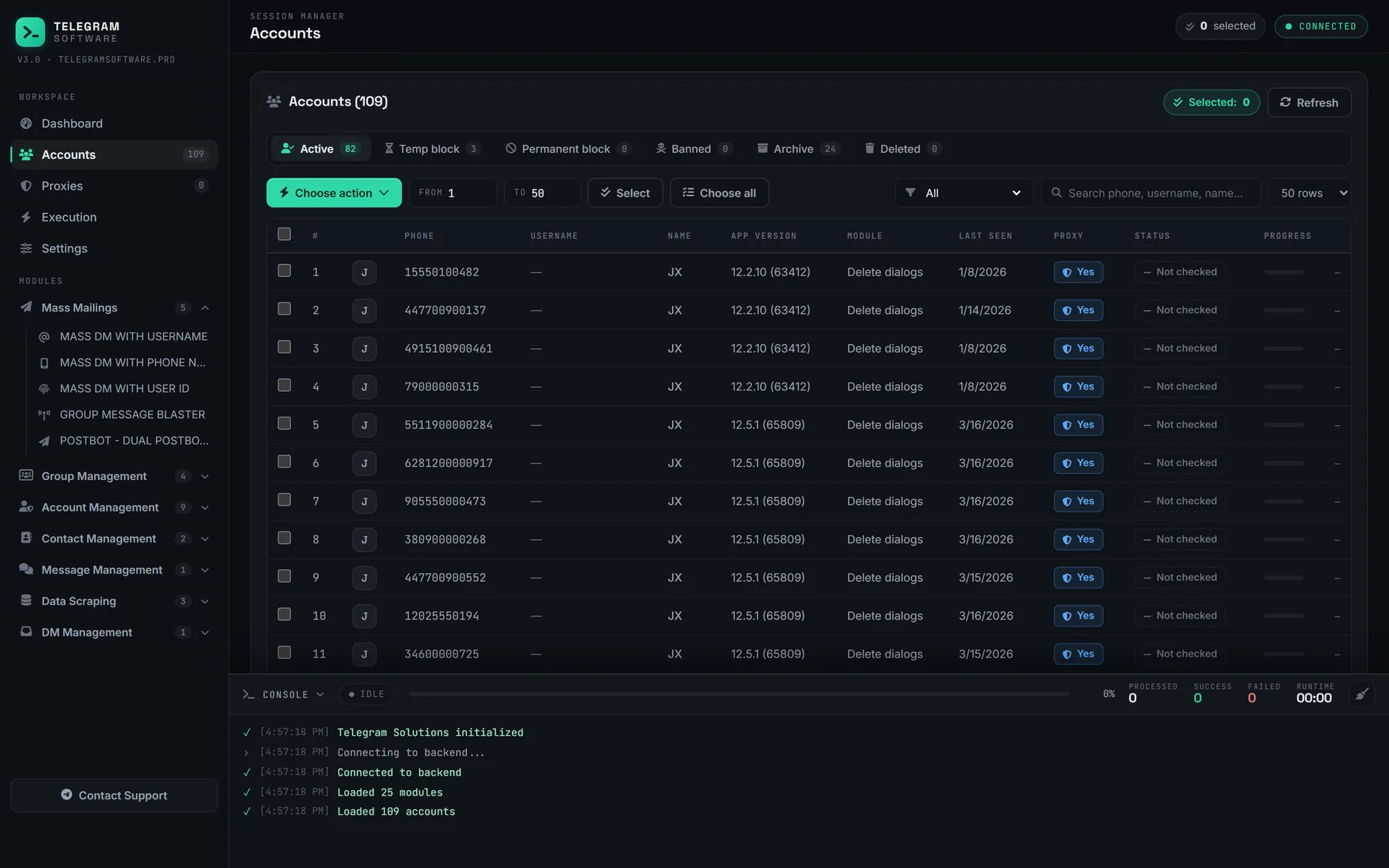
Accounts are worked three at a time by default, with a pause between bots. A flood wait of up to five minutes is waited out and the call retried; a longer one skips that bot. The closing report lists, per account, how many bot chats were handled and how many failed. The accounts are the sessions already loaded in the panel, whether they came in as session files or as a tdata folder copied out of a Desktop install, and each keeps its own proxy for the run.
Where the module stops
It never blocks, so it never stops a bot from sending. That is the meaning of the name, and it is also the limit. After an Aggressive run every bot can still write to every account — the messages land in muted, archived chats that nobody opens. Anyone who needs delivery itself to end has two routes, the bot's own switch or the block, and the module performs neither. It does not report bots, does not touch groups or channels, and cannot change how often a bot posts. We supply neither accounts nor proxies.
Bots in groups, spam bots and the other meaning of "bot blocker"
Everything so far concerns a private chat with a bot. Groups work differently.
A member cannot stop a bot that posts in a group. Muting the group or leaving it is the whole menu, and for accounts sitting in dozens of noisy chats walking out of many groups in one pass is the practical version. Removing the bot is an admin's job. Its reading rights there depend on a setting its developer controls: by default bots in groups run in privacy mode and see only commands and messages meant for them, while bots added as admins receive everything, which is also part of which chats a forwarding bot can and cannot read. In a channel a bot only ever posts as an admin, so the remedy is to take its admin rights away, something worth doing before handing the channel to a new owner rather than after.
Then there is the admin-side vocabulary. A telegram bot blocker, in most search results, is itself a bot: an anti-spam tool that a group owner adds to challenge newcomers with a captcha and remove accounts that fail. Searches for telegram bot spam stop usually want the same thing. So does telegram block all bots, when a group owner types it. Those tools guard a group. They do nothing about the bots in your own chat list, and no account setting blocks every bot in advance; the one that limits who can message you is written about users you have not contacted and does not mention bots.
Much of what members call bot spam is not bots at all. The accounts that flood a group with links are often ordinary user accounts run by software, which is how they got in: the add methods are closed to real bots, and adding members in bulk is done by signed-in user accounts. Blocking one of those is blocking a user. It hides their private messages to you and changes nothing in the group. Neither kind of account sees more of you than any stranger does, which is the subject of what a member list exposes to anyone who reads it.