Plain text cannot carry a button. A direct message typed by a person arrives as words and links, nothing more, and that gap is the whole reason a post builder exists. Search for postbot telegram and you mostly find directory listings and a one-line bot description. The part people actually need, which is what happens between pasting a code and a stranger seeing a card with buttons, is not written down anywhere in plain English. This page covers that path, then what changes when the same code goes to a list.
What is PostBot on Telegram?
It is an ordinary bot that somebody else runs. The bot's public page calls it an "ultimate post builder" with templates, inline buttons and premium emoji, credits it to @dostoyno by g.media, and listed 2,947,005 monthly users when we checked on 14 October 2026. Telegram did not build it, so nothing it stores is covered by Telegram's own promises about its apps.
The name causes confusion. A query for post bot telegram returns scheduling services, auto-posting scripts on GitHub and an unrelated open-source project that borrowed the name. Those tools publish into channels on a timetable. @PostBot does something narrower: you compose one message in its chat, attach photos or a video, add rows of URL buttons, and it saves the result as a reusable post with an identifier. Any Telegram post bot tool that offers "send by code" is leaning on that identifier.
That is also why a telegram post bot matters to anyone writing outside a channel. A bot-built message can travel into a private chat with its buttons intact, while the same text pasted by hand loses them.
Where does a PostBot code come from, and what does it do?
The code is the saved post's identifier, written after the bot's username. Our panel's placeholder shows the shape, @PostBot 69a568be54519, and that whole line is what people mean by a telegram postbot code. It is not a password or a link. It is an inline query.
Inline mode is a documented Bot Platform feature. Telegram's page on inline bots says that if inline queries are enabled, users can call a bot "by typing its username and a query in the text input field in any chat", and that as soon as the user taps a result "it's immediately sent to the recipient". So the PostBot code Telegram expects is just a query string; the bot looks it up and offers the matching post as a result.
This is what Telegram post bot inline mode buys you. You never open @PostBot's chat to share a post. Type the line in a DM, a group or a channel you post in, wait for the result card to appear above the keyboard, tap it, and the message goes out. A Telegram inline post bot cannot push anything by itself, though. The person typing the query decides where the result lands, which is the detail the next section turns on.
What happens when a PostBot code is sent to a DM?
Two calls, both made by the sending account. Telegram's MTProto description of the full inline bot flow starts with messages.getInlineBotResults, which asks the bot for results and returns a query_id. Then messages.sendInlineBotResult sends one chosen result to a peer. The method's reference page carries the line "Only users can use this method".
Three consequences follow. First, the message comes from your account, not from the bot. A bot cannot open a conversation with someone who never started it, but here it never has to, because it only answers your query. Second, the result carries a via_bot_id field, and Telegram's docs tell graphical clients to show the bot's username in the message header. A hide_via flag exists, yet it only works for bot usernames listed in Telegram's own client config, so a telegram postbot DM will normally show "via @PostBot". Third, the buttons survive, since they belong to the result the bot built.
That separates it from the other routes covered here before. A forwarding bot can only reach chats it was let into, and what a mass DM bot really sends turns out to be a user account doing the work. A Telegram PostBot message sits in the same place: a user send, wearing a bot's label.
Errors an inline send can return
The same reference lists the refusals worth knowing. INLINE_RESULT_EXPIRED means the query aged out before the send. ALLOW_PAYMENT_REQUIRED means the recipient charges Stars per message. YOU_BLOCKED_USER means the sending account itself has the recipient on its blocked list. None of these is fixed by trying again a second later. A recipient who sees a bare @PostBot line instead of a card received plain text, not an inline result, which usually means the line was typed into the message field and sent before the result card was chosen.
How do you send a PostBot code to many users?
The official apps give you one recipient per tap. To send PostBot code to many users, something has to repeat the two calls above per person, from accounts that can reach them. In Telegram Solutions that is the Telegram PostBot Code Sender, one of the mass messaging modules. Think of it as a telegram postbot sender with a queue: each Telegram post bot code you paste goes to every line of the list, and a run looks like this:
- Build the posts first. Compose them in @PostBot and copy each code line. The module takes PostBot Code 1, which is required, and an optional Code 2.
- Paste the target list. One per line: an @username, a phone number with its country code, or a numeric user ID.
- Pick the accounts. The list is cut into blocks of Messages Per Account (default 50, maximum 500), handed out in order, and up to Max Concurrent Accounts (default 5) run at once.
- Set the pacing. Min and Max Delay set a random wait between targets, 1 to 5 seconds by default. Max Retries defaults to 3.
- Leave human-like behaviour on. Before the first send to each target the account opens the chat, marks it read and shows a typing indicator for 2 to 6 seconds.
- Read the report. Each account logs sent and failed targets, and the run ends with an error summary.
How each kind of target is resolved
Every target type resolves differently, and most failed sends in a report trace back to this step rather than to the post. A username goes through the same lookup as the rules Telegram applies to username search, so a changed handle fails as not found. A phone number is first imported as a contact named "User", the mechanism behind writing to someone whose number you never saved. A bare ID only works for an account that has already met that person, for the reason laid out in how user IDs and chat IDs differ. Deleted accounts, invalid handles and numbers that are not on Telegram are not retried; they go straight into the error summary under their own names, so a report with many "username_not_found" lines says the list is old, not that the accounts are in trouble.
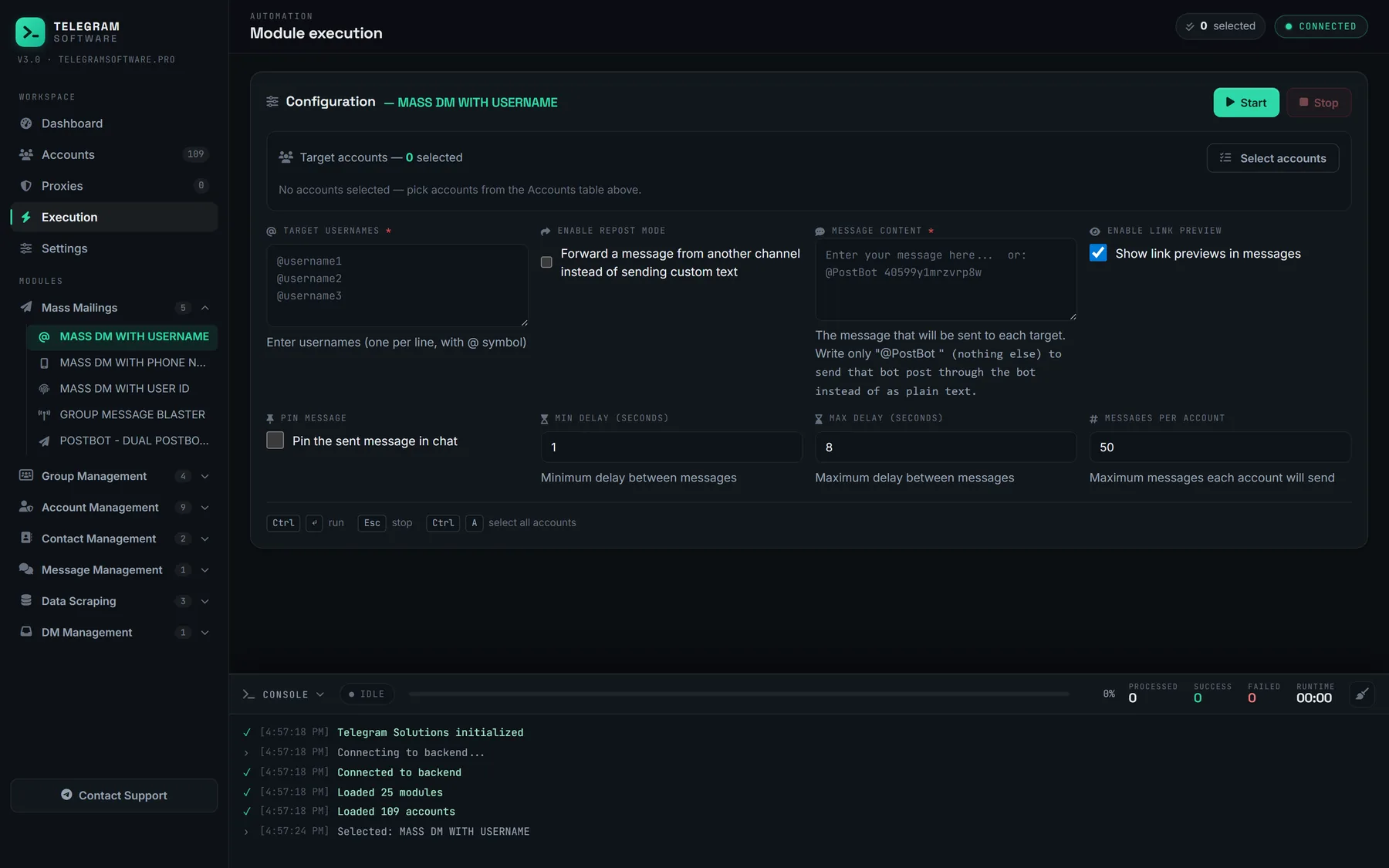
The screenshot is from the Mass DM module, which shares this pacing engine. There is no English walkthrough video for this module on our channel yet.
Pacing, accounts and the test send
The defaults are fast. A telegram postbot mass send at one to five seconds per target is the pace of a script, and the widest setting the panel allows, 600 seconds, exists for a reason. Accounts come in as session files from the pool, so TDATA folders and session files both end up in the same place, and each can carry its own proxy, set the way SOCKS5 and MTProto proxy settings describes. How many numbers one operator can hold is its own question, answered in running several accounts on one phone or desktop. Send one test to an account you control before any list, and check that the card, the buttons and the via line all arrived.
Skip that test and a typo in one code repeats itself across every target.
Why would a sender use two PostBot codes instead of one?
Because one card rarely says everything. A common pattern is a first post with the offer and a single button, then a second with a different button or a short follow-up. The module sends Code 1, pauses half a second to a second and a half, then sends Code 2 into the same chat. If only Code 1 is filled in, it sends one message per target and the "dual" part simply does not run.
The pairing changes how failures behave. If the first send hits a flood wait longer than 300 seconds, the module does not fall through to Code 2; it gives up on that target and logs the wait. A shorter wait is slept out and retried once. A PEER_FLOOD on either send stops that account for the rest of its block, since every further attempt only adds to the record. That makes Telegram PostBot automation a little more conservative than a loop that fires both lines regardless.
Two other modules use the same idea at a different scale. Mass DM has a PostBot mode for a single code to a username list. For groups there is the blaster that posts into groups rather than inboxes, which joins chats and posts on a schedule in text, forward or PostBot mode.
Why do PostBot messages stop arriving?
Because a PostBot card is still a direct message from an account the recipient may never have heard of, and Telegram judges it that way. The buttons do not change the sender. Its terms of service forbid using the service to "send spam or scam users", and recipients can report a message whatever it looks like.
The ladder is the one every mass messaging run meets. First come FLOOD_WAIT_X errors, where X is the seconds to wait, which the module honours up to the 300-second cut-off. Next is PEER_FLOOD, the server refusing new conversations from that account. Telegram's spam FAQ explains the state behind it: a limited account can message only people who have its number saved and can reply to anyone who writes first. Further down sit longer limits and banned numbers. On the recipient's side, USER_PRIVACY_RESTRICTED and a blocked account each count as a failed target, not a reason to retry.
Telegram publishes no daily DM threshold. Figures such as 20 to 50 new chats a day circulate in this niche, but they are vendor observations, not policy, and no setting on any PostBot message sender tool raises the real limit. Where the list came from matters as much as the pace: people who never chose to hear from you report faster, and what a group scraper can actually collect covers why a scraped list is mostly strangers. The same wall applies to the hard caps on adding members to a group.
So the honest summary is short. A PostBot Telegram tool repeats a legitimate send, and nothing about it lowers the chance that Telegram limits the accounts doing it.
Before and after a PostBot run
Most of the preparation is about the post, not the list. Point the buttons at destinations you control, and if a button opens a channel, keep that channel's ownership on an account outside the sending pool; handing a channel to another owner is far easier before the run than after a limit lands on the account that holds it. Keep the codes in a note, because a deleted or edited post in @PostBot changes what every later send delivers.
If the audience already wants to hear from you, an invitation may serve them better than a DM. Moving a list into a group puts one pinned post in front of everyone without a single private chat.
Afterwards the accounts carry traces of the run. Phone targets stay in each address book as contacts named "User", and every target now has a chat with two cards in it. Those chats can be emptied in bulk with the methods in clearing a whole chat history at once, and any groups the accounts joined for other campaigns can go through leaving every group in one pass. The PostBot Code Sender, like the other modules, is part of the one licence on the plans page.