The job wears a lot of names. You will see it sold as a telegram channel downloader, a telegram bulk media downloader, a telegram group media downloader, a telegram channel media scraper or a telegram content scraper, and when the output is a spreadsheet the same thing is called a telegram chat exporter, yet under every label one account reads history a page at a time and asks for files one by one.
That shared mechanism decides everything else on this page. So it comes first.
What does a Telegram media downloader actually do?
Three things, in a loop.
It resolves the chat. A public channel is found through the lookup that turns a channel's @username into a chat, and what comes back is the channel's numeric ID and the hash that goes with it, the pair every later request carries. Then it pages backwards. The history call is messages.getHistory, and Telegram's paging notes describe its limit as "typically between 1 and 100", so a channel of 50,000 posts is at least 500 requests before a single file moves. Text, dates and captions arrive in those pages, which is all a telegram message scraper, a telegram post scraper, a telegram chat scraper or a telegram channel message scraper ever needed. Photos and files do not.
Media is the third step, and the slow one. Each photo, video or document is fetched separately with upload.getFile, in pieces: Telegram's file documentation says the piece size "must be divisible by 4 KB" and holds a request to 1 MB, so a 2 GB video is some two thousand requests on its own. The pointer to each file also goes stale. A file reference "may expire", the server answers FILE_REFERENCE_EXPIRED, and the client has to fetch the message again for a fresh one. A long run that queued everything first and downloaded later starts failing halfway for exactly this reason.
Two details catch people out. An album of ten photos is ten messages that share one grouped ID, so a count of posts and a count of files never agree. And the comments under a channel post live in the linked discussion group, a separate chat that needs a pass of its own.
Everything called a telegram channel parser or a telegram group parser does the first two steps and stops. A downloader does all three. Neither sees anything the account behind it could not open in the app.
Telegram chat export tool, bot or script: four routes side by side
The differences are in who signs in and what lands on disk.
| Route | Signs in as | Reads old posts | Media it saves | Writes | Stops at |
|---|---|---|---|---|---|
| Saving by hand in the app | You | Yes, by scrolling | One file per tap | Loose files | Your patience |
| Telegram Desktop export | You, on a computer | Yes | Photos to 8 MB by default, every type to 4,000 MB once set | HTML, JSON and media folders | Protected chats, one chat per run |
| A bot on the Bot API | A bot token | No | New posts only, 20 MB a file | Whatever its code writes | Anything posted before it was added |
| Script or module on a user account | An account session | Yes | Every type the account can open | Folders, a database, or Excel and HTML | Membership, flood waits, protected chats |
Three of the four can cost nothing. Desktop's export is part of the app, and open-source scripts answer most searches for a telegram group scraper free of charge, provided you are comfortable registering API credentials and editing a config file. Any telegram channel downloader software you pay for, ours included at the price of the whole suite, sends the same requests; what you are buying is the bookkeeping around them. Call it a telegram chat export tool, a telegram chat exporter tool or a telegram message exporter. The row it belongs to is decided by what it signs in as.
How do you download all media from a Telegram group without extra software?
With the export built into Telegram Desktop, after changing two defaults.
Telegram added it in 2018, and the announcement describes exporting individual chats "including photos and other media they contain". The short version of how to download all media from telegram group chats is the list below, and a channel works the same way. It needs a computer, since the phone apps and Telegram Web have no such command.
- Open the group or channel in Telegram Desktop, signed in to an account that is a member.
- Open the three-dot menu at the top right and choose Export chat history.
- Tick every media type you want. Only Photos is ticked to begin with.
- Drag Size limit to the right. It starts at 8 MB and ends at 4,000 MB.
- Pick HTML to read the result, JSON to process it, or both.
- Set a date range if you only need part of the history, and choose a folder on a drive with room.
- Start the export and leave the window open until it finishes.
Steps three and four are where most attempts go wrong. Those defaults sit in Telegram Desktop's source, and they explain the commonest complaint from people trying to download all videos from telegram channel archives this way: the folder arrives full of photos, with "Not included" printed where each video should be. Tick Videos and Files, raise the limit, and the same dialog will download all telegram channel media up to the cap you set, or download all files from telegram channel history alone if you untick the rest.
The export runs under whichever account that copy of Desktop is signed in to, and it sees only that account's chats. If the group lives on a second number, check the handful of logins one Telegram app can hold at a time before reinstalling anything. Running it from a USB stick or a shared machine raises a different question, namely where a portable build keeps its login compared with an installed one. We keep a separate guide to what each option in the export dialog does, including the wait Telegram sometimes imposes on a newly signed-in device.
As a telegram group backup tool this is hard to beat for one chat. It is one chat per run, though. To download all telegram media across forty groups you open the dialog forty times, and each run writes its own folder.
Can a bot download a whole channel?
No.
A bot receives messages as they are posted and has no way to ask for older ones. The paging call every downloader depends on carries the note "Only users can use this method", so a bot added to a channel today starts with today. Files are tighter still: Telegram's Bot API reference says "bots can download files of up to 20MB in size" unless the operator runs a local Bot API server. And a bot sees a channel at all only once an admin has added it, the same boundary that sets how far a forwarding setup can reach.
So a listing for a telegram channel scraper bot or a telegram message scraper bot is one of two things. Either it is a real bot that collects posts from the day it joins, which suits monitoring and does nothing for an archive, or the word bot is being used loosely for a user account driven by a script. The second kind asks for your phone number and a login code. That is a full sign-in to your account, worth knowing before you type the code into anybody's chat window.
Is cloning or mirroring a channel the same as downloading it?
No. Cloning is forwarding, and it runs under different rules.
People who search for a way to clone telegram channel content usually want one of two outcomes: a second channel holding the same posts, or a private copy on disk. Only the second is a download.
The first is re-posting. A telegram channel mirror bot sits as an admin in both chats and copies each new post across as it appears. A telegram channel cloner bot or a telegram chat clone bot that promises the back catalogue as well is a user account reading history and sending it again, message by message, under sending limits rather than download limits. For a channel you run there are simpler answers. If the aim is a new owner account, changing who owns the channel you already have keeps the subscribers, which no clone does. If the aim is a clean start, a bulk delete of everything a chat holds comes after the backup, never before.
Copying somebody else's channel is a different matter. The posts are their work, the copy competes with the original, and how a complaint about a copied channel gets weighed is the chapter sellers leave out. Protected channels refuse it at the server: Telegram's content protection notes say a forward out of one "will emit a CHAT_FORWARDS_RESTRICTED RPC error".
Can you download from a private or protected channel?
Private, yes, if the account is a member. Protected, not by any route we will describe.
The two words get mixed up. Private means the chat has no public username and is entered by invite link or approval. A telegram public channel scraper has the easy case, because a public chat anyone can look up by name can be opened and read without joining. For a private one the account has to be inside. Ask for history from outside and the answer is CHANNEL_PRIVATE, which Telegram glosses as "You haven't joined this channel/supergroup." So a telegram private group scraper or a telegram private media downloader is an ordinary downloader run from an account that was let in — nothing more exotic. Where a group's admins hide earlier history from new members, joining late shows only what was posted after you arrived.
What Restrict saving content changes
Protected is the owner's switch, and it is separate from private. With Restrict saving content on, Telegram's own description is that owners can "restrict message forwarding from their chat, which also prevents screenshots and limits the ability to save media from posts", and Desktop removes the export command from that chat. Every message from such a chat also carries a flag that Telegram's schema describes as "protected and thus cannot be forwarded". Tools that advertise downloads from restricted channels are built to ignore a setting the owner chose. We do not document them. Asking is the route that respects the switch, and reaching an admin whose number you have but never saved is a shorter job than it sounds.
The terms and the law bind every route
None of the four routes sits outside them. Telegram's Terms of Service state that Telegram "additionally prohibits data scraping as part of its Content Licensing and AI Scraping Terms", and those terms leave room only for what a legitimate third-party client needs in order to operate, or for content whose authors have explicitly agreed. Whoever decides to scrape telegram channel archives that are not theirs is the party answerable for it. An archive of a group is also other people's names and words. That makes it personal data under GDPR and its equivalents, so storing it, and above all messaging the people in it, needs a lawful basis the software does not supply. Backing up your own channel, or a group whose members know, sits comfortably inside all of that. Harvesting strangers' chats does not.
Group Content Scraper: the account-side route in our panel
It is the fourth row of the table, run from a session pool instead of one login.
Group Content Scraper sits under Data Scraping, beside Member Scraper. It is a telegram channel content scraper in the plain sense: it reads a group's or channel's messages, photos, videos and documents through the accounts you select, along with member profiles where the chat shows them, and writes Excel and HTML to your own disk. Nothing is uploaded anywhere. The spreadsheet is what the free routes lack. Desktop gives you HTML or JSON, most scripts give folders or a database, and a telegram group data scraper only becomes useful to a team once the rows open in the program they already work in.
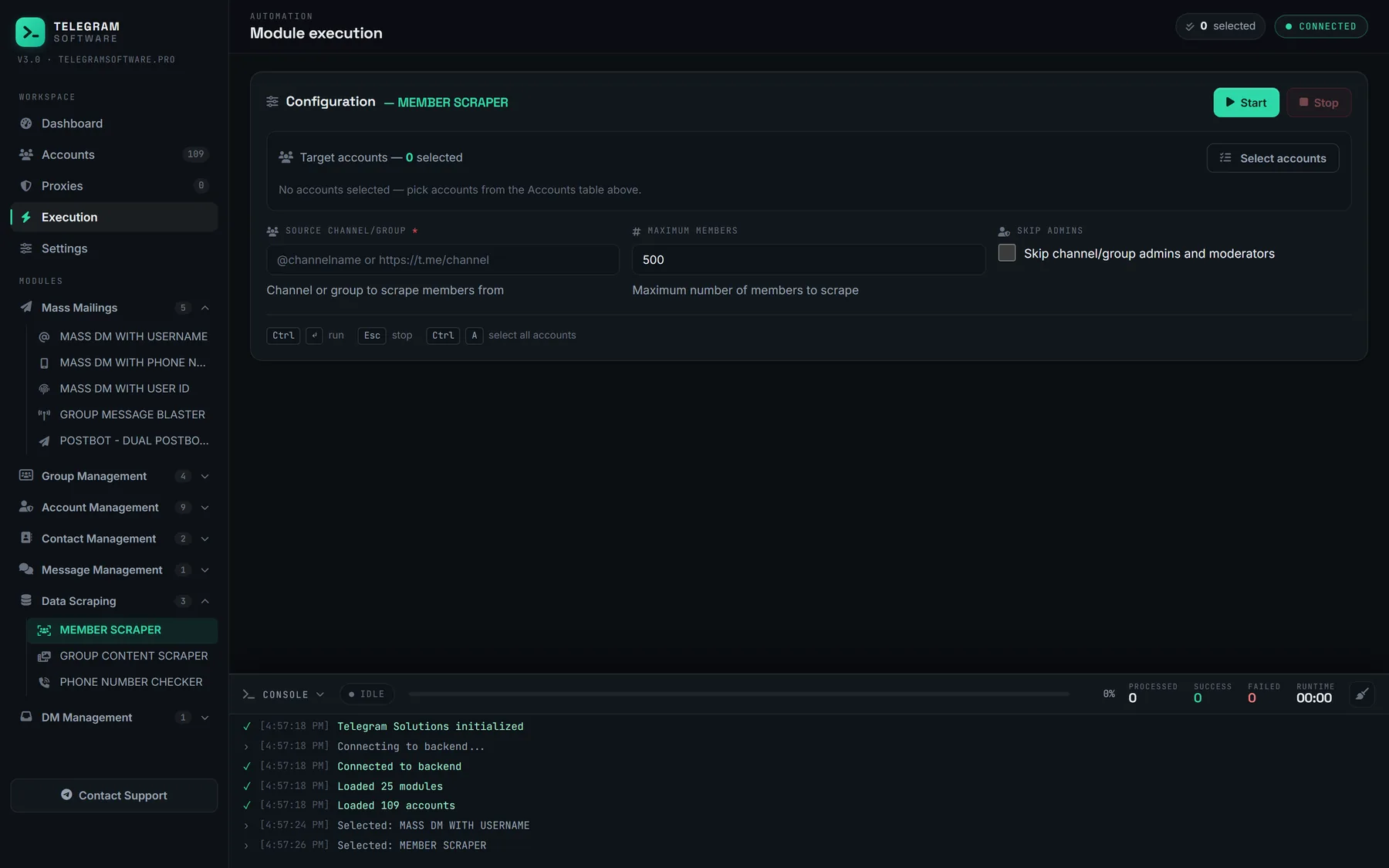
The accounts are sessions already loaded in the panel, each with its own proxy, and they have to be members wherever membership is required. Whether you think of it as a telegram media scraper or a telegram group scraper tool, it shares one pacing engine and one log with every other module, so a flood wait on one session is backed off automatically rather than retried into a longer one. When the job is finished, taking a reader account back out of the chats it joined is a single pass.
Member profiles deserve a caution of their own. What a member list gives up and what it withholds is narrower than most buyers expect, and a profile list invites the next step. Loading an exported profile list into a group of your own runs straight into the errors that meet anyone who tries to add those profiles to a group. An export is a record. It is not consent.
How fast it goes, and where it stops
There is no published number for any of it. Telegram documents the errors and not the thresholds: on its errors page FLOOD_WAIT_X means "A wait of X seconds is required", and a second code, FLOOD_PREMIUM_WAIT_X, tells a non-Premium account that its transfer is being slowed. The Premium announcement words the other side as "Premium subscribers are able to download media and files at the fastest possible speed", with uploads of 2 GB a file for everyone and 4 GB for subscribers. Any megabytes-per-second figure, daily quota or safe count of parallel downloads you read elsewhere is somebody's observation.
So plan around disk and time. A thousand videos at 300 MB each is 300 GB before the first photo, and a telegram bulk download files job that size takes days on any route.
The module does not raise Telegram's limits, because nothing can: they live on Telegram's servers and bind every client. It will not open a chat its accounts cannot open, it is not a way past an owner's protection setting, and we supply neither accounts nor proxies.