Most guides to this topic pick one layer and pretend it is the whole answer. A chatbot vendor will tell you the Telegram app has no auto reply of its own, which stopped being true in 2024. A userbot seller will tell you a bot can do nothing useful, which was never true. The useful question is narrower: which messages do you want answered or sent, and from which identity?
The sections below take the layers in order of how much Telegram itself supports them, then compare them side by side, then cover what gets each one restricted.
Does Telegram have a built-in auto reply?
Yes, for accounts with Telegram Premium. Telegram Business, announced on the official Telegram blog in 2024, added greeting messages, away messages and quick replies to the normal app, alongside opening hours, a map location and chat links that make up the rest of a Telegram Business account. No bot and no third-party tool is involved. The replies go out from your own account, in your own private chats.
Greeting and away messages
A greeting message is sent automatically to a person who writes to you for the first time, or who writes again after a quiet period of 7, 14, 21 or 28 days. An away message is the classic telegram autoresponder: it answers while you are unavailable. You can send it always, only outside the business hours you set in the same menu, or on a custom schedule with a start and end date. Both messages can include or exclude chat types, so friends and family do not get a sales greeting. Both work in private chats only. Neither one posts into groups, and neither one writes to anyone who has not written to you first.
That last rule is the line most readers miss. A Business auto reply is a reaction. It never starts a conversation, which is exactly why Telegram is comfortable shipping it.
How to set auto message in Telegram with Business
On a Premium account the path is short:
- Open Settings, then Telegram Business.
- Choose Away Message or Greeting Message and switch it on.
- Write the message, or several messages, in the chat that opens. Media and formatting are allowed.
- Pick the schedule: always, outside business hours, or a custom window.
- Set the recipients: all chats except the ones you exclude, or only the ones you include.
- Send yourself a test from a second account before you rely on it.
Quick replies sit next to these. They are saved messages you call with a slash shortcut while typing, so they speed up a human reply rather than replacing it. The current server limits are 100 shortcuts with up to 20 messages each.
Scheduled messages: the built-in way to auto send
For anyone asking how to auto send message in Telegram, or how to send automatic message in Telegram at a set time, the answer is already in every app: hold the send button and pick Schedule Message. The message leaves at that time even if your device is off, because Telegram's servers hold it. This works in private chats, groups and channels where you are allowed to post, and in private chats Telegram's scheduled messages documentation describes a send-when-online option, available when you can see the person's last-seen status. Scheduling covers one-off messages well. It does not repeat on its own, so a recurring post still needs a bot or a tool.
How do you make a Telegram bot auto reply?
A bot is the second layer and the one most tutorials teach. The short answer to how to create auto reply bot in Telegram: message BotFather, run /newbot, pick a name and a username ending in "bot", and copy the token it returns. Your code, or a no-code platform, then receives every incoming update through long polling or a webhook and sends an answer with the Bot API's sendMessage method. Each answer needs the chat's numeric identifier, which is why telling a user ID from a chat ID matters the first time a script fails.
The wall every bot hits
A keyword autoresponder bot telegram users build in an afternoon, the simplest telegram auto reply bot there is, is reliable, cheap and fully inside the rules, because the person chose to open the chat. The hard limit is documented in plain words in Telegram's introduction to bots: a bot cannot start a conversation with a user. It sees its own chats and the groups it was added to, and nothing else, the same wall that limits every forwarding bot and what it can reach.
Telegram's bot FAQ gives the only published sending pace in this whole topic. Telegram asks bots to stay around one message per second in a single chat, no more than 20 messages per minute in one group, and about 30 messages per second across all chats for bulk notifications. Go over and the Bot API answers with error 429 and a retry_after value in seconds.
Connecting a bot to a Business account
Business accounts can also connect a bot to the account itself, and connected bots work on non-Premium accounts too. The bot then answers private messages on the owner's behalf, in the chats the owner allows and only where a message came in during the last 24 hours. Replies appear as sent by the account. For anyone asking how to make telegram bot auto reply with real logic, an AI model for example, this is the cleanest way, with no access to the account's session. It inherits the Business rules: private chats, and the other person writes first.
For readers weighing a bot against an account for marketing, the bot-or-account decision has its own article. The short version is that a bot is the right tool whenever the audience opts in.
What does an auto message bot telegram tool on a user account actually do?
The third layer is software that logs in as a normal user account over MTProto, the protocol the official apps use, and acts as that account. Sellers call these products a telegram auto message sender bot, a telegram auto message bot or a telegram auto send bot, but nothing in them is a bot in Telegram's sense. There is no token and no BotFather. There is a session, the same kind of login that sits in a Desktop tdata folder, and the choice between portable and desktop tdata is how many operators keep those sessions.
Because it is the account, such a tool can do what the account can do: write first to people it can reach, post in groups it has joined, and answer DMs in any chat. That reach is the whole appeal and the whole risk. No rate figure is published for user accounts, so every per-day number you read for this layer is observed by the community, not stated by Telegram.
Auto send to groups
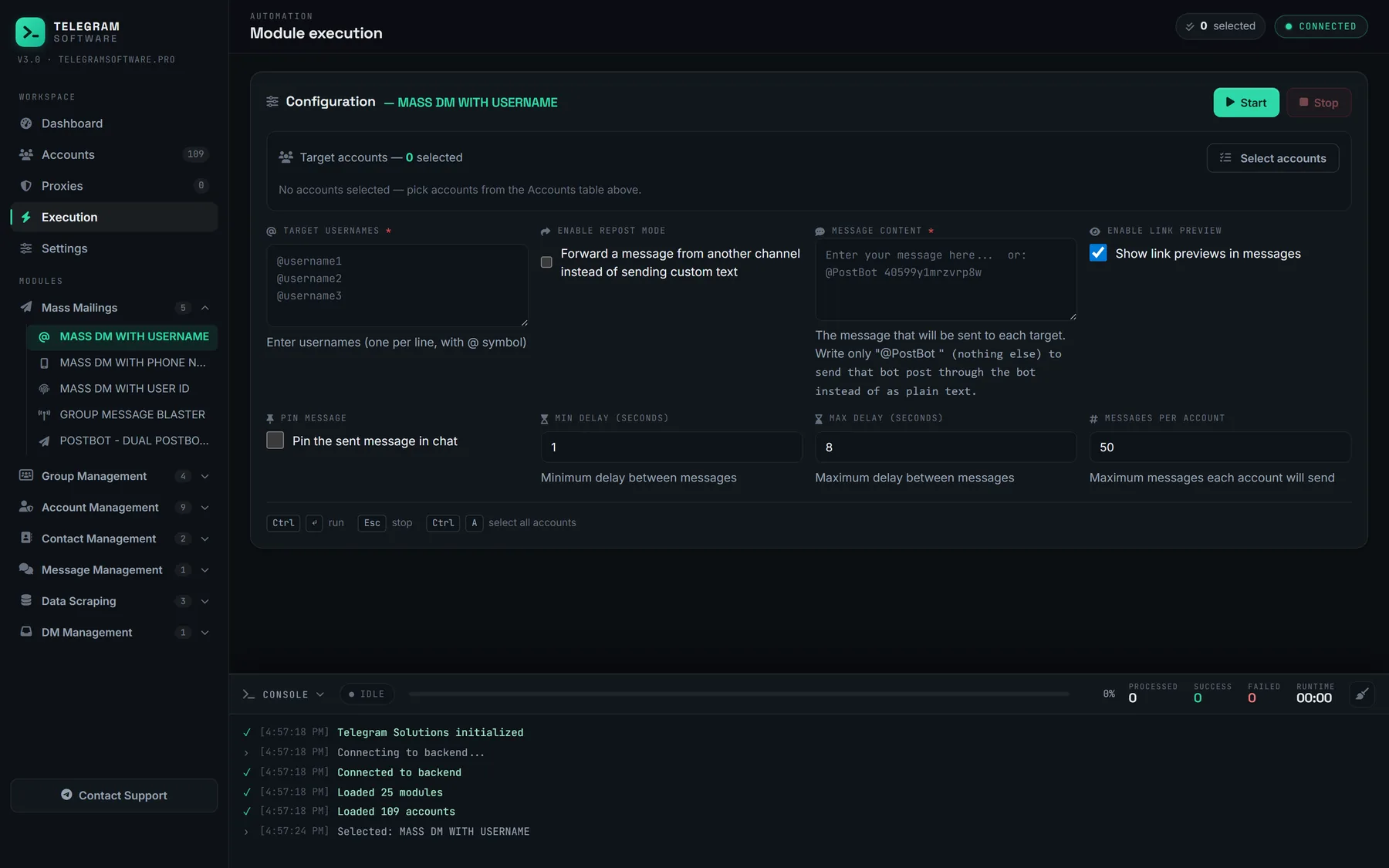
The panel above is the direct-message side. The group side is the request behind telegram group auto message sender searches: post the same message into a list of groups on a timer. In Telegram Solutions that job belongs to the Group Message Blaster module, which joins the listed groups and posts text, a forward or a PostBot card in fixed rounds or until stopped. Its defaults are 30 to 60 seconds between messages and 5 to 10 minutes between rounds, and it stops an account on a flood or spam signal rather than pushing on. For posts that need buttons, sending PostBot codes covers how those inline cards work.
Groups add their own brakes. Admins can enable slow mode, which makes Telegram reject a second message inside the interval with SLOWMODE_WAIT_X. They can restrict posting to admins, or run an anti-spam bot that removes repeat posters. A schedule that ignores those settings fails in the group long before it reaches any Telegram-wide limit.
Auto send to inboxes
The DM side is where telegram auto send message plans, and every telegram auto send message bot built on them, go wrong most often. Writing first to strangers is what user-account tools are bought for, and it is also what Telegram watches most closely. What a mass DM bot actually sends, and to whom it can deliver, is covered in detail elsewhere. The target list usually comes from a scraper, and what a scraper can actually see decides how good that list is. A list built from people who recently posted or commented is smaller and more current than a full member dump.
Phone-number lists are a separate case. Whether a number can be resolved to an account at all depends on that person's privacy settings, which the guide to looking people up by number walks through.
Which auto reply layer fits which job?
The three layers overlap less than the product pages suggest. This table puts the deciding facts in one place:
| Layer | Can it write first? | Where it works | Published limits | What it costs |
|---|---|---|---|---|
| Business away and greeting messages | No, it only answers | Your private chats | None needed, one reply per trigger | Premium subscription |
| Scheduled messages | Yes, one message you wrote | Chats, groups, channels you can post in | A cap per chat, set by Telegram | Free |
| Bot API bot | No, only after the user starts it | The bot's chats and groups it joined | About 1 per second per chat, 20 per minute per group | Free, plus hosting |
| Bot connected to Business | No, it answers for the account | Allowed private chats, 24-hour window | Business and bot rules combined | Free, plus hosting |
| User-account software | Yes, within the account's reach | Anything the account can open | None published, enforced by flood waits | Software, accounts, proxies |
Read it from the left. When the people you want to answer will write to you first, a Business auto reply or a bot covers it with no restriction risk worth naming. One message out at a fixed time is a job for scheduling. Only when the job is writing first, to many people or many groups, does the account layer become the answer, and only that layer brings the costs in the last column.
Group operations that are not auto messages
Several jobs get filed under automatic messaging but run on different rules. Building the groups themselves is a creation task, and creating channels and groups in bulk explains how that module works. Filling a group is a member-add task with its own architectural cap, set out in the limits of member-add bots. Neither one is limited by message pacing, so a schedule tuned for posting tells you nothing about how fast either can run.
Account-level tools also need the plumbing that bots never touch. Each account needs a stable connection, normally a dedicated proxy per account, and SOCKS5 versus MTProto proxy settings is the place to start before the first login.
What gets a Telegram auto reply or auto send setup restricted?
Telegram's Terms of Service say users agree not to use the service to send spam or scam users. The API terms forbid interfering with the basic functionality of Telegram and acting for a user without their knowledge and consent. Neither text names a number. Enforcement comes from errors and reports, in roughly this order of severity:
| Signal | What it means | What to do |
|---|---|---|
| SLOWMODE_WAIT_X | The group's slow mode interval has not passed | Respect the interval for that group |
| FLOOD_WAIT_X | Too many requests; wait X seconds | Pause that account for the full X |
| Bot API 429 | The bot passed its pace; retry_after gives the wait | Queue messages and slow down |
| PEER_FLOOD | Reported by client libraries such as Telethon: the account is limited from writing first | Stop first messages from that account |
| Spam restriction | Reports put the account on a limited list that @SpamBot explains | Check status, appeal only if the reports were wrong |
A greeting or away message almost never reaches the bottom rows, because it only answers people who chose to write. Auto-replies run from a user account can, if they answer every incoming DM and those replies read as unwanted. Auto-send runs are where the bottom rows live. Recipients who did not expect a message tap Report Spam, and enough reports restrict the account regardless of how slowly it sent. Reports are also the mechanism behind the limits of report bots, which is why they are worth understanding from both sides.
Checking accounts before and after a run
Operators who run the account layer check two things routinely. The first is whether each session still logs in and whether @SpamBot reports a limit, which a bulk session and spam check does across many accounts at once. The second is how old each account is, because a fresh registration that starts writing to strangers in its first week is the profile reports land on fastest. Checking an account's creation date shows which accounts in a pool are new.
Where Telegram Solutions fits, and where it does not
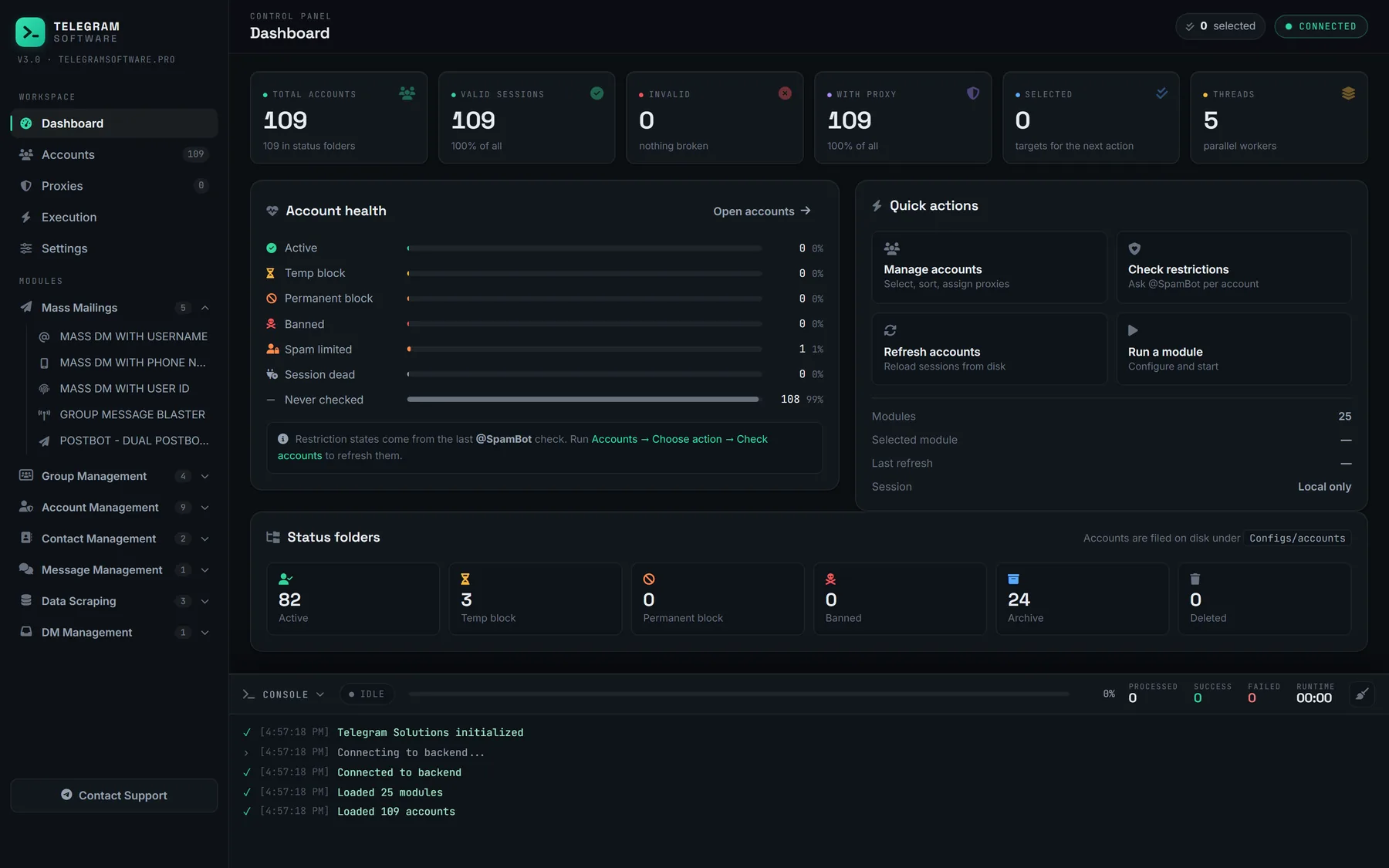
We should be plain about our own product here. Telegram Solutions has no autoresponder module, and we do not sell one. It does not answer incoming DMs by itself. Its DM Hub forwards the DMs of every connected account into one control group, and a person replies from there, with a short delay range before each reply. The sending modules, Mass DM and Group Message Blaster, handle the auto-send side with the pacing described above. None of it raises a Telegram limit, and no setting makes unwanted messages safe. If you want a true telegram automatic message bot for opt-in users, a Bot API bot or a Business auto reply does that job better and costs less.