Most people who search for a broadcast in Telegram are coming from WhatsApp, where a broadcast list sends one message to many contacts and each reply lands in a private chat. They open Telegram's new-message menu, find New Group, New Channel and New Contact, and nothing else. The pages that rank for the question are mostly sold by bot platforms, so they skip the plain answer and go straight to their own dashboard. Every broadcast message Telegram delivers still travels one of four routes, and which one you pick decides who can receive it.
We sell desktop software that sends from accounts, so we are not neutral either. This page tries to be accurate instead. Where a figure is Telegram's own it is linked to the page that states it, and where nobody has published a number we say so rather than invent one.
Does Telegram have broadcast lists like WhatsApp?
No. Current Telegram apps have no telegram broadcast list, so the honest answer to "does telegram have broadcast" is that it has broadcasting, not a list. The Telegram FAQ names the tool directly: channels are "a tool for broadcasting messages to large audiences." The old BlackBerry client once offered a New Broadcast option that kept its lists on the device, and that feature did not carry over to the apps people use today.
So searches like how to create broadcast list in telegram end in one of four places. Each one decides who can receive the message, what the sender looks like and what stops the send.
| Route | Who receives it | Do recipients opt in? | Shows as sent by | What stops it |
|---|---|---|---|---|
| Channel | Subscribers, no upper limit | Yes, they join | The channel | Nothing per post; people leave or mute |
| Broadcast group | Members of a converted supergroup | Yes, they join | The admin or the group | Only admins can write, and the switch is one way |
| Bot | Users who started the bot | Yes, they pressed Start | The bot | About 30 messages a second unless paid broadcasts are on |
| Accounts | Anyone the account can reach | No | Each account | Spam reports, flood waits and unpublished limits |
Chat folders sometimes come up as a fifth answer. A shareable folder link lets someone join a set of chats in one tap, but nothing in Telegram sends one message to every chat in a folder. Forwarding a post to several chats from the share menu works for a handful of recipients and stops there.
A broadcast channel is Telegram's own answer
A telegram broadcast channel is a one-to-many feed. The channels tour says channels can have an unlimited number of subscribers and that only admins have the right to post. Posts appear under the channel's name and photo rather than the admin's own, unless signatures are switched on, and an admin can send a post silently so subscribers get it without a sound.
How to create broadcast in Telegram with a channel
Here is how to create telegram broadcast output that subscribers see. The steps are the same on the phone apps and Telegram Desktop.
- Open the new-message menu and choose New Channel.
- Give it a name, a description and a photo. These are the first things a subscriber sees.
- Choose public or private. A public channel needs a username, and claiming a free public username is its own small problem when the short ones are taken.
- Add subscribers from your contacts or share the invite link. Inviting people with a link rather than adding them respects their privacy settings and gets fewer complaints.
- Write the post and send it. Long-press the send button to schedule it or send it without sound.
This is how to broadcast on telegram channel feeds, and it is also how to broadcast telegram updates to an audience that grows without a ceiling. The catch is reach. A channel only reaches people who joined, so a new channel has nobody to broadcast to. Admins who run several projects often need more than one, and creating many channels and groups from a name list runs into a per-account limit on how many an account can own.
Most named searches are about telegram broadcast channels too. Someone typing fana broadcasting telegram wants the Telegram channel of an Ethiopian broadcaster, and someone typing schanzenwatch broadcast telegram wants one specific local channel. Neither is a feature. The fastest route is the search bar inside Telegram, checking that the channel is the verified or official one before joining. If you want a channel's back catalogue offline, saving a channel's photos, videos and files works for channels you can open.
What is a Telegram broadcast group, and how do you make one?
A telegram broadcast group is a supergroup that has been converted so that only admins can write. It arrived in February 2021, in the same update as expiring invite links. Ordinary groups allow up to 200,000 members, and groups close to that limit can convert into broadcast groups with unlimited members, where members can still join voice chats. Telegram's developer documentation calls the same thing a gigagroup and notes that the conversion runs one way only.
A broadcast group in Telegram before 200,000 members
The real conversion is offered only to very large groups, so most people asking how to create broadcast group in telegram want the effect, not the label. You get it from group permissions. Open the group, go to Permissions, and switch off Send Messages for members. Admins can still post, and everyone else reads. The FAQ describes the same setup as admins chatting amongst themselves while everybody else watches.
Muting members is the practical answer to how to make broadcast group in telegram today. It keeps the group features a channel lacks: members are listed, admins can open the chat for a question session and close it again, and a reply thread can sit under an announcement. The cost is that every member who joins shows up in the member list, which a channel hides. Getting people into a group is a separate job with its own rules. How many groups an account can join, and how fast covers the account side, and adding members directly meets a hard cap that no setting raises.
Broadcast bots: about 30 messages a second, and paid broadcasts above that
A telegram broadcast bot sends from the Bot API, and it can only message users who started it. Telegram's bot introduction says bots cannot start conversations: a user has to add them to a group or message them first. This rule is why a bot cannot DM a list of strangers, whatever its sales page says. A telegram bot broadcast reaches the bot's own subscribers and nobody else.
Within that audience the limits are published, which is rare for Telegram. The Bot FAQ sets them out.
| Situation | Telegram's stated limit | What happens past it |
|---|---|---|
| Bulk broadcast to many users | About 30 messages per second | 429 errors and a retry delay |
| One private chat | Avoid more than one message per second | Short bursts pass, then 429 errors |
| One group | 20 messages per minute | 429 errors in that group |
| Paid broadcasts on | Up to 1,000 messages per second | 0.1 Stars per message above the free 30 |
Telegram paid broadcast: who can switch it on
The telegram paid broadcast option is a setting in @BotFather, backed by the allow_paid_broadcast parameter that arrived in Bot API 7.11 in October 2024. The FAQ sets the bar high. A bot needs at least 100,000 Stars on its balance and at least 100,000 monthly active users, and it is charged only for messages that are delivered. So the telegram broadcast limit for almost every bot is the free one, about 30 a second. At that rate a telegram bot broadcast message to 100,000 subscribers takes close to an hour, which matters if the news is time-sensitive.
The broadcast bot telegram route suits newsletters, shop updates and alerts people asked for. Users who blocked the bot drop out, and the send code has to skip them and slow down on a 429 rather than retry at full speed.
Inside a bot broadcast loop
Writing the loop yourself is short work. You keep a list of chat IDs from everyone who pressed Start, walk through it, and call sendMessage for each one. The details decide whether it finishes. A 429 response carries a retry_after value in seconds, and the loop has to wait that long before it continues, not simply move to the next user. A 403 response means the user blocked the bot or deleted their account, so that ID comes off the list for good. Sending the same broadcast message Telegram users already read once, because a crash restarted the loop from the top, is the complaint subscribers remember. Store the last ID that succeeded.
Hosted bot platforms do the same work behind a button and add segments and scheduling, which a bot runs on its own clock rather than Telegram's schedule queue. Either way, the ceiling is Telegram's. A bigger plan on a bot platform does not raise the 30-a-second default; only paid broadcasts do, and only for the bots that qualify.
How do you send a broadcast message on Telegram to people who never subscribed?
Only from user accounts, and this is where the risk sits. A channel, a group and a bot all depend on people choosing to join. An account can write to anyone whose privacy settings allow it, which is why tools that send from accounts exist and why Telegram polices them. Its spam FAQ asks users to contact people only if they are sure the people expect the message, and says an account becomes limited temporarily once spam reports are confirmed. A limited account can still message contacts who saved its number and reply to anyone who wrote first. A first limit lasts a few days or so, and repeat offences last longer.
No per-day figure is published for accounts. The numbers that circulate are observed by vendors and users, not policy, and the errors are the only hard signal. FLOOD_WAIT_X tells an account to wait X seconds. PEER_FLOOD is the error users commonly report when an account has been limited for messaging strangers. Spreading a send over several accounts is the usual answer, and the number of accounts one Telegram app can hold is the first wall people meet.
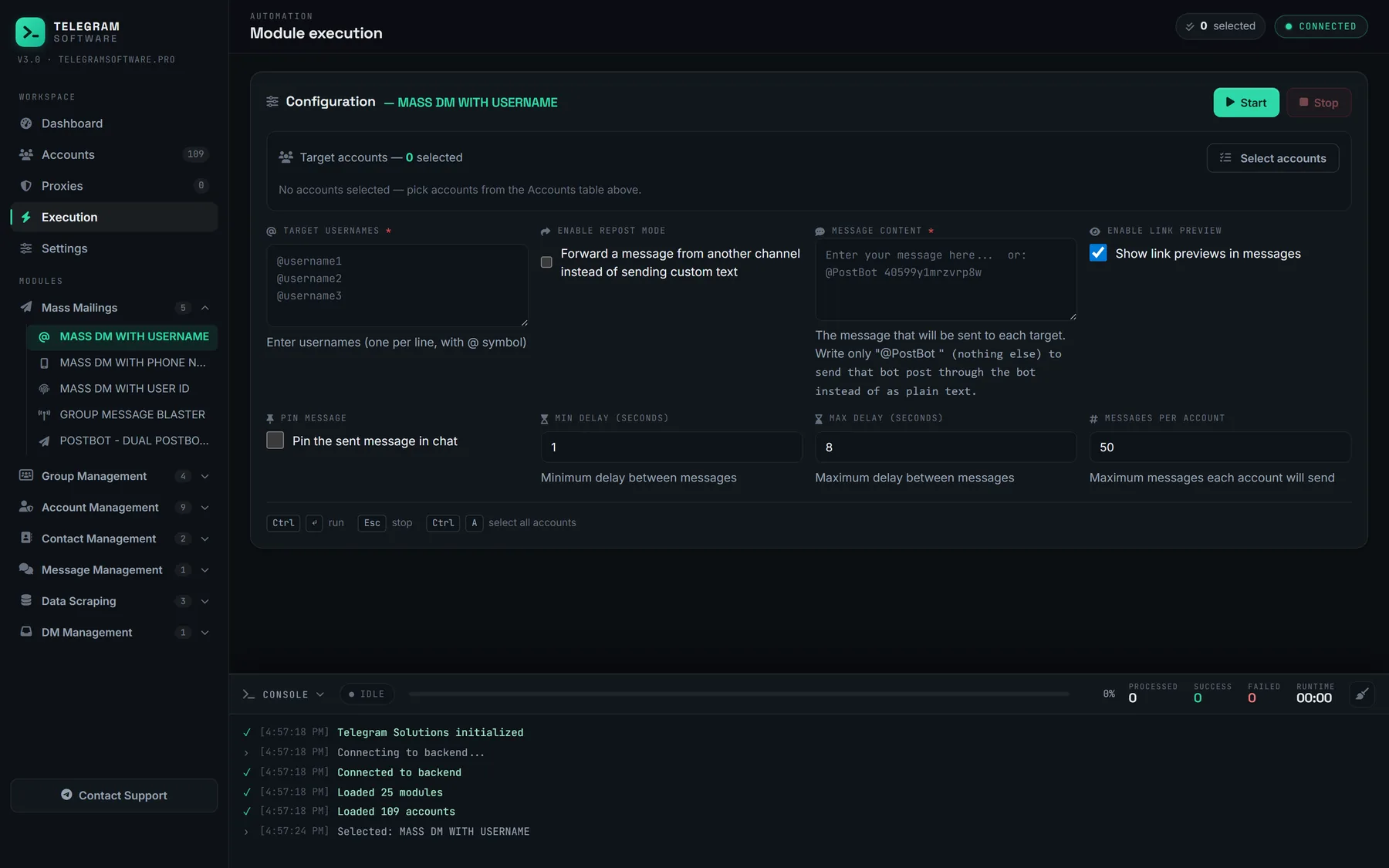
What account-based sending needs before the first message
Past a few accounts, the work is mostly housekeeping. Sessions live in a session manager that keeps every account in one table, and some tools want the desktop format, so turning session files into TDATA folders is a common step. Who can see each account's number and photo is set per account, and changing privacy settings across many accounts at once saves an afternoon. A list of phone numbers is not a list of Telegram users either: checking which numbers are registered before a run removes the dead targets. Some operators also keep idle accounts active with scrolling, reading and other everyday activity. None of that removes the risk. It only removes the avoidable failures.
Account sending is how to send broadcast message on telegram outside the opt-in routes, and the honest summary is that it works only for messages people will not report.
Choosing a broadcast route, and the limits nobody publishes
Choosing how to broadcast message on telegram comes down to who the audience is. People who already follow you belong in a channel. A community that should read but not reply fits a broadcast group or a muted supergroup. Customers who use a service fit a bot, which can also answer them. To grow either one with paid reach, the official Telegram ads platform and its CPM pricing can promote a channel or a bot but nothing else. People who never opted in are the hard case, and no route reaches them without risk.
Group posting sits between these. Posting one message into many groups you belong to reaches members of other people's communities, and the group's admins decide whether it stays. Drip-posting one scripted line per account into a group is the other extreme: the same group, many accounts, spread over time. Both answer to the group's rules before Telegram's.
Limits we will not claim
For channels and groups, Telegram publishes the real limits: unlimited subscribers, 200,000 members, and the broadcast-group conversion beyond that. For bots the published figures are the 30-a-second default and the paid tier. For accounts there is no published number, and anyone quoting a safe daily figure as Telegram policy is quoting a guess. No software raises Telegram's limits or keeps an account from being restricted.
Our own product, Telegram Solutions, sends from accounts, so its Mass DM modules sit in the last row of the table above. If you want to see what else desktop tools do with accounts, what Telegram software tools automate lists the jobs, from joining groups to scraping members. For an audience that chose to hear from you, a channel or a bot is cheaper, faster and safer than any of it.